sv_allow_lobby_connect_only 1), which refuses anyone who types the address. Turn it off in Game settings or click Allow direct connections, save and restart. Also check that LAN only is off, Steam group only matches your group, and you use the address from the panel, for example 203.0.113.10:27015.
How to fix “can’t connect” on your L4D2 server
1
Check the server is running
On the Console page the status should be running and the log should show the map loaded. If it stops, see how to read server logs.
2
Allow direct connections
Open Game settings. If you see the note “Players can only join through a lobby”, click Allow direct connections. Or turn Lobby only off under Game.
3
Turn LAN only off
Under Security and downloads, LAN only must be off. With it on there is no internet listing and no Steam authentication.
4
Save and restart
Click Review and save, then Save changes, and restart the server.
5
Connect with the right address
Copy the address from the Console page and type
connect 203.0.113.10:27015 in your developer console (with your own address).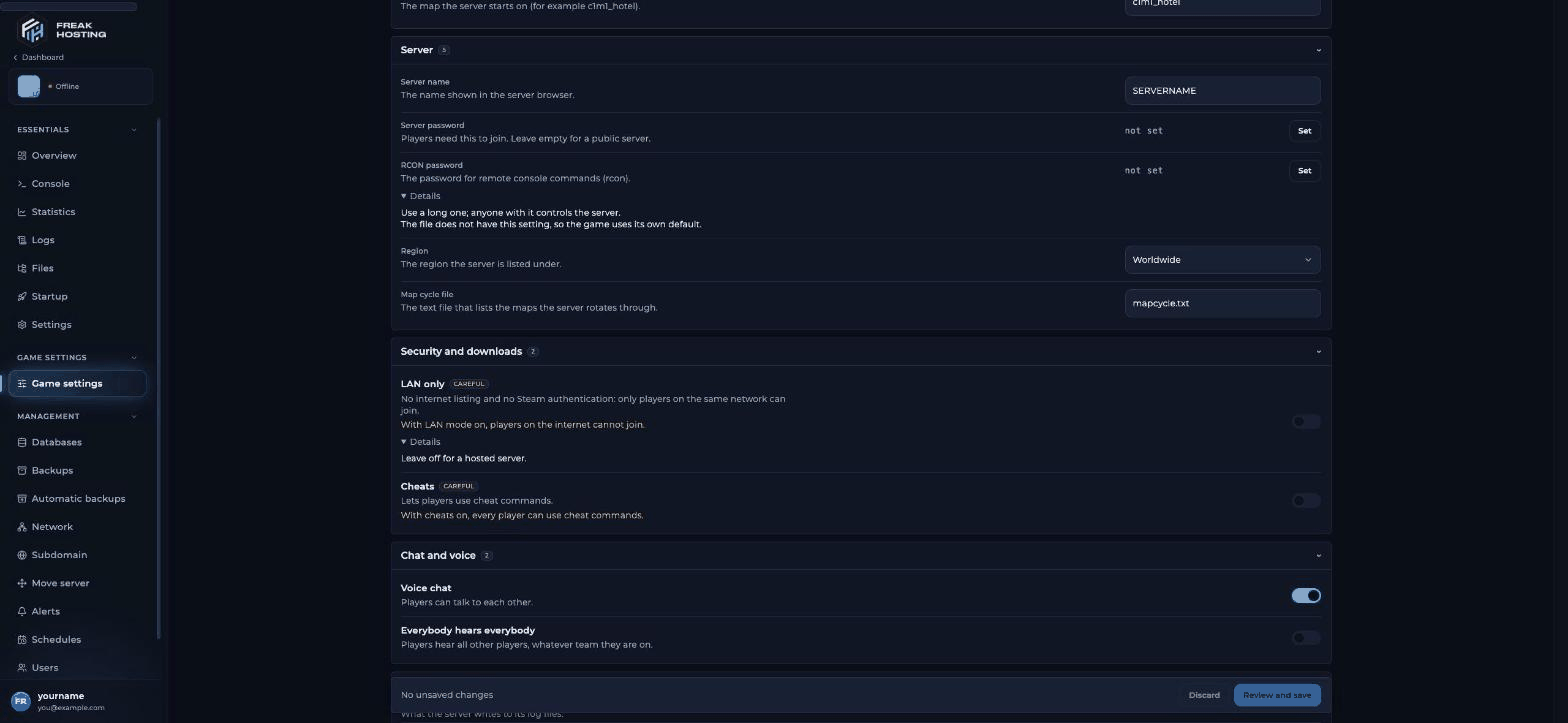
The Lobby only note and Allow direct connections button in Game settings
How players find your L4D2 server
Left 4 Dead 2 has no classic in-game server list. Players get to a dedicated server in one of these ways:- Direct connect:
connect <address>in the developer console. Needs Lobby only off. - Steam group: set Steam group to your group’s ID. Group members can then pick your server when they start a lobby. With Steam group only on, only members can use it while it is empty.
- Steam’s server browser: in the Steam client, View > Game Servers, Favorites tab, add your address.
Frequently asked questions
What does sv_allow_lobby_connect_only do?
With1, players can only join from a matchmaking lobby and connect is refused. With 0, they can also type the address. In the panel it is the Lobby only switch.
Why can my friends join but strangers can’t?
Steam group only is on, or the server has a Server password. Turn them off for a public server.Do I need to open ports?
No. Your server’s port is already open; use the address the panel shows.My server stopped after I changed a setting. What now?
Open Logs to see why, or undo the change with Discard before saving. You can restore a backup from Backups.Related guides
Left 4 Dead 2 server guide
Every Left 4 Dead 2 page in one place.
Getting started
First setup and connect.
Fix consistency errors
Server is enforcing consistency for this file.
L4D2 server commands
Cvars for lobby and Steam group.
Read server logs
Find out why it stopped.
Tested by the FREAKHOSTING team on 30 October 2026 (Left 4 Dead 2 on our Game Panel). Steps may differ slightly if the game changes.
Need Extra Help?
If you encounter any issues, our support team is ready to assist:- Live Chat: Quick assistance via our website.
- Support Ticket: Open a Ticket
- Discord: Join our Community
- Email: support@freakhosting.com
Last Updated: October 2026