serverDZ.cfg is the main DayZ server config file: it holds the server name, passwords, player slots, map, time speed, view and voice rules, and security options. On FREAKHOSTING you edit it on the Game settings page, which groups every option into Server, Gameplay, Time and light, Security and limits and Mods. The server reads the file when it starts, so restart after saving.
How the Game settings page works
- Search settings finds an option by name; All / Changed shows only what you changed.
- Presets fill in several settings at once: Hardcore (first person only, no crosshair, darker nights) and Casual (third person on, brighter nights, faster days). Nothing is saved until you review and save.
- Show advanced settings (8) shows the Security and limits group.
- Badges: STARTUP means the value is saved as a startup variable, CAREFUL marks options that can stop the server or hide your world, and Default resets one option.
- Review and save shows exactly what will change; Discard throws your edits away.
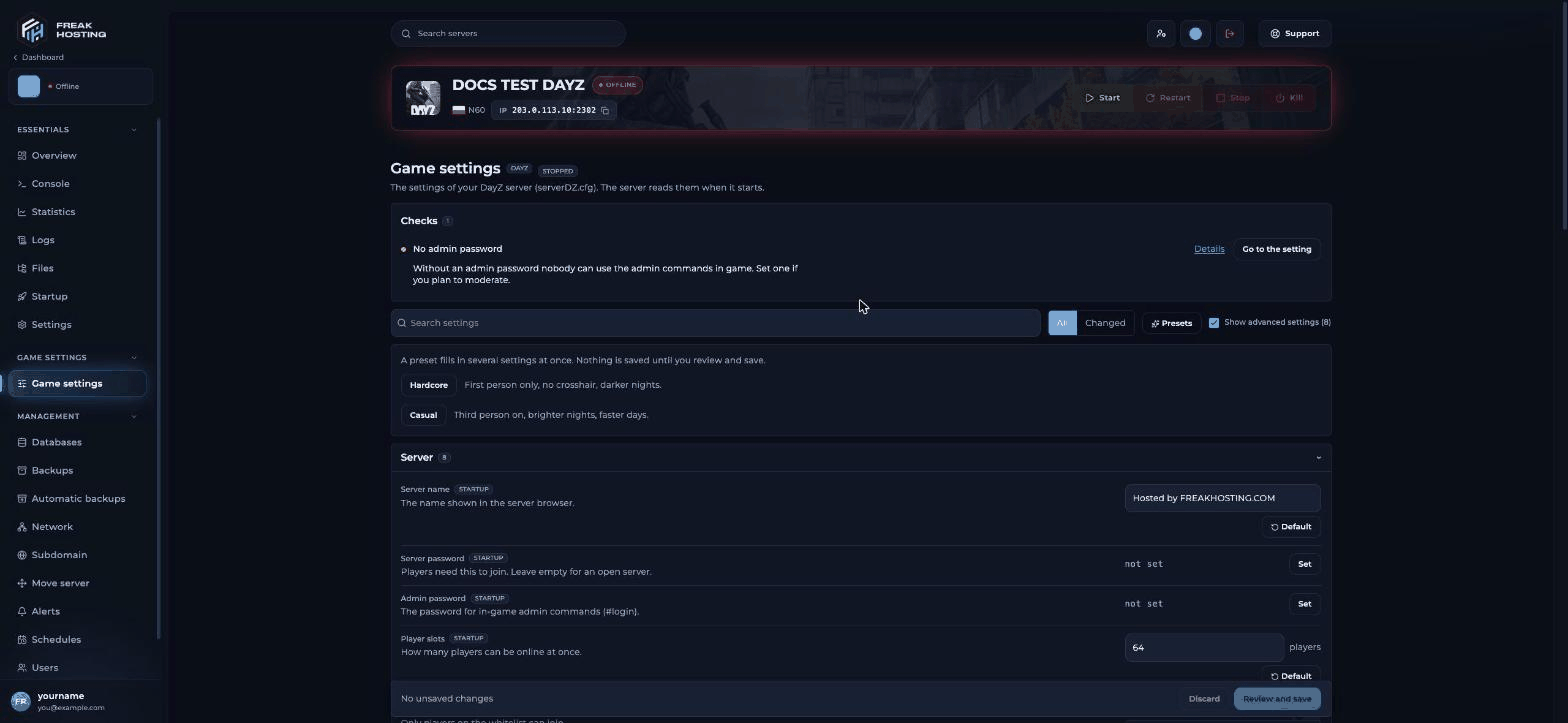
The DayZ Game settings page
Server settings
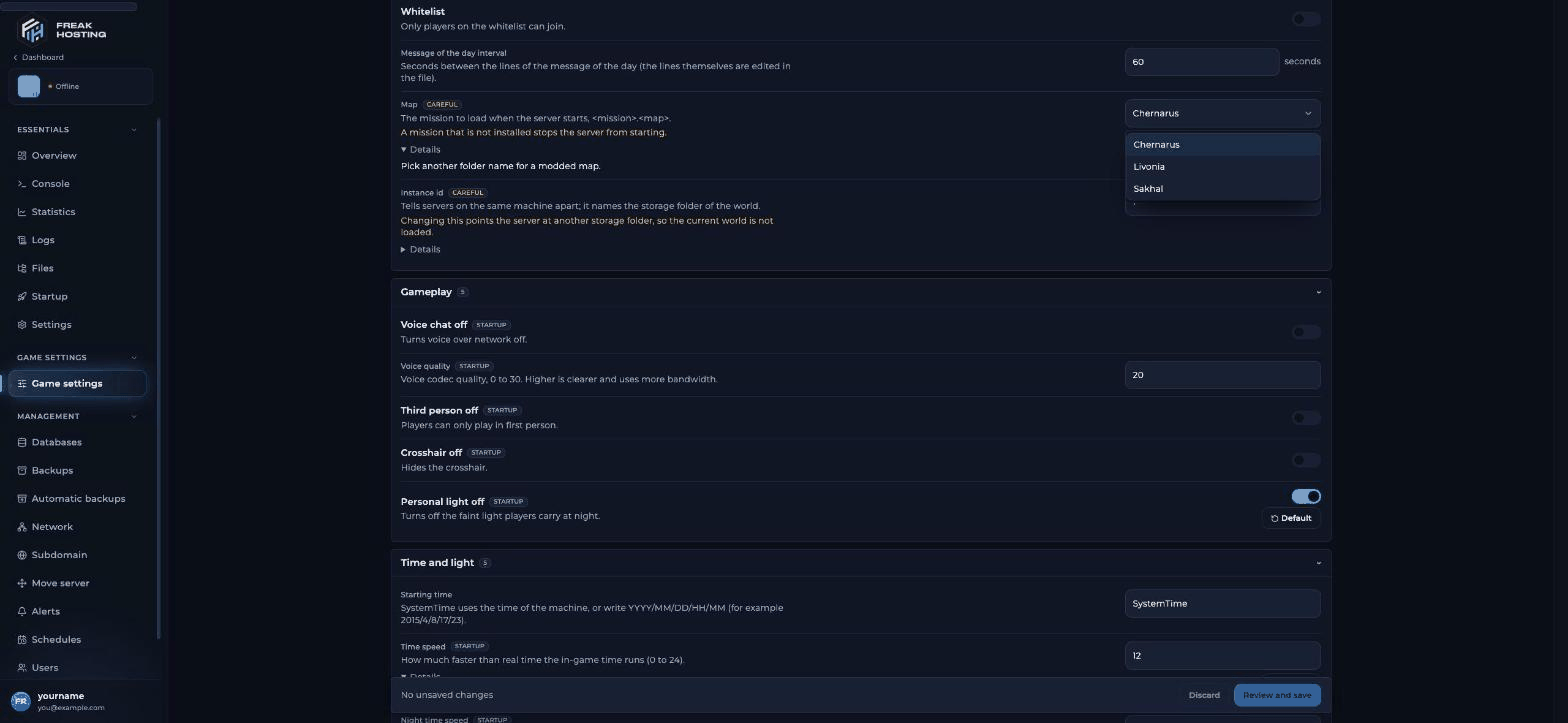
The Map setting: Chernarus, Livonia or Sakhal
Gameplay settings
Time and light settings
Security and limits (advanced)
Mods
Server-side mods and Extra client mods take mod folders as written in the Steam Workshop, separated by semicolons, for example@CF;@VPPAdminTools. Extra client mods are added to the ones from your mod list file. See how to install mods.
What is not on the Game settings page
Frequently asked questions
Where is serverDZ.cfg?
In your server’s main folder. Use Game settings, or the serverDZ.cfg: open the raw file link for keys the page doesn’t show.How do I make days longer or shorter in DayZ?
Change Time speed.1 is real time; 12 makes a full day last two hours. Use Night time speed to shorten nights only.
Do I need to restart after changing settings?
Yes. The panel tells you when the server is running and the changes apply after a restart.Can I undo a change?
Before saving, click Discard, or Default on one setting. After saving, restore an older version from the file’s history in the File Manager or from Backups.Related guides
DayZ server guide
Every DayZ page in one place.
Getting started
First setup and joining.
Mission files and maps
Chernarus, Livonia, Sakhal and modded maps.
Unlimited stamina
cfggameplay.json settings.
Configure startup variables
The Startup page.
Tested by the FREAKHOSTING team on 30 October 2026 (DayZ stable branch on our Game Panel). Config keys checked against the Bohemia Interactive wiki on 30 October 2026.
Need Extra Help?
If you encounter any issues, our support team is ready to assist:- Live Chat: Quick assistance via our website.
- Support Ticket: Open a Ticket
- Discord: Join our Community
- Email: support@freakhosting.com
Last Updated: October 2026