.json file from %LOCALAPPDATA%\Icarus\Saved\PlayerData\<SteamID>\Prospects\ on your PC, and upload it unchanged to Icarus/Saved/PlayerData/DedicatedServer/Prospects/ in Files. Start the server and load it in the lobby or with LoadProspect. Never rename the file.
Before you start
- Make a copy of the prospect file on your PC. RocketWerkz warns that changing the file name or the JSON inside it corrupts the prospect for good.
- Make a panel backup of the server.
- Know your Steam ID folder: it is the long number in
%LOCALAPPDATA%\Icarus\Saved\PlayerData\.
How to find the prospect on your PC
- Close Icarus.
- Press Windows + R, type
%LOCALAPPDATA%\Icarus\Saved\PlayerDataand press Enter. - Open the folder named with your Steam ID, then
Prospects. - Find the
.jsonfile with your prospect’s name, for exampleMyOlympus.json.
How to upload the prospect to your server
1
Stop the server
Open your server in the Game Panel and click Stop.
2
Open the Saved folder
Click Files and open
Icarus > Saved.3
Create the folders if they are missing
On a new server the folders don’t exist until a prospect has run. Click New folder and create
PlayerData. Open it, create DedicatedServer, open it and create Prospects. The path is now /home/container/Icarus/Saved/PlayerData/DedicatedServer/Prospects.4
Upload the file
Open
Prospects, click Upload (or drag the file onto the page) and choose your .json file. Wait for Upload complete.5
Start the server
Click Start and wait for the ready lines in the console.
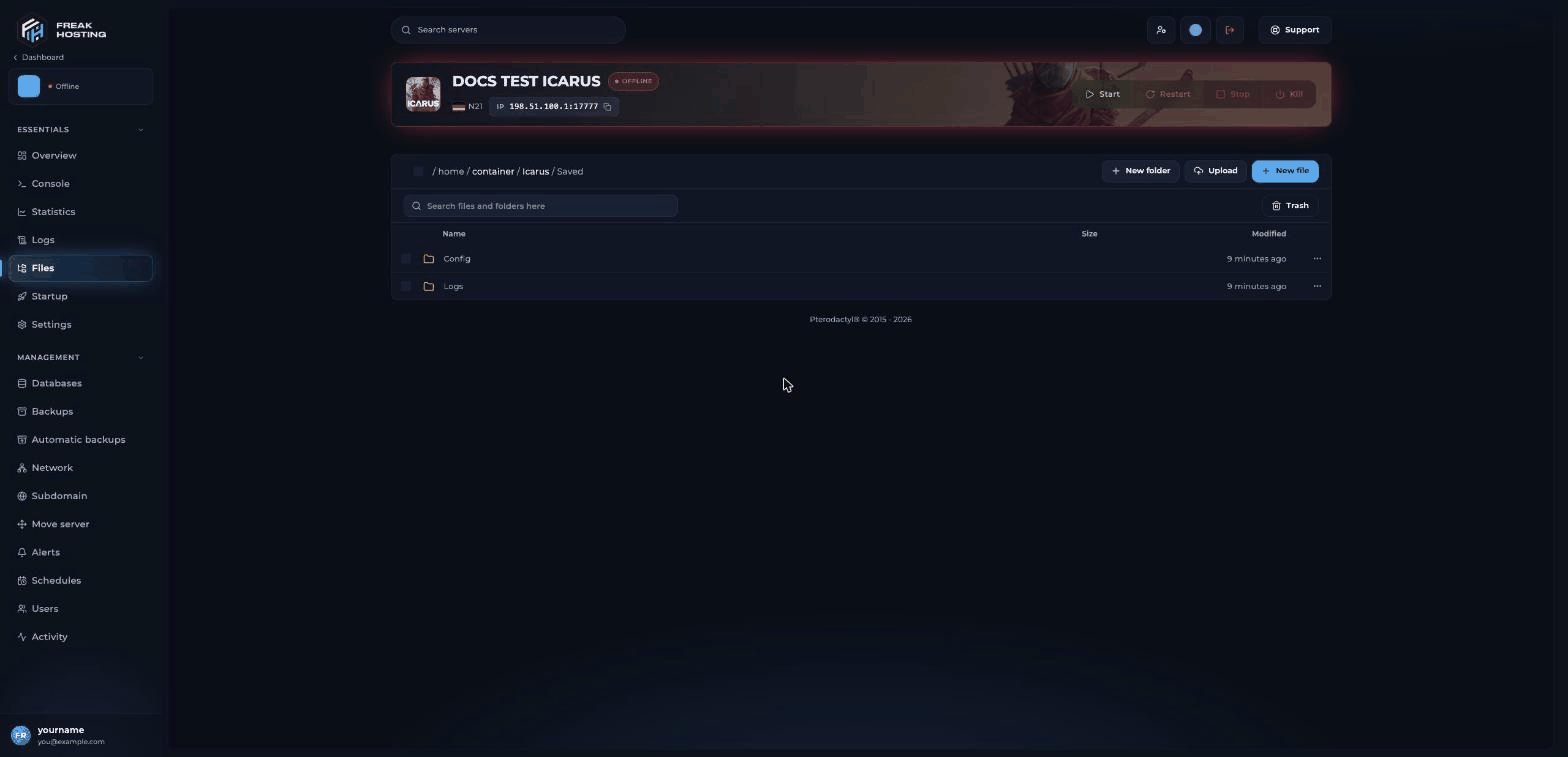
Files at /home/container/Icarus/Saved after the first start
How to load the uploaded prospect
After the first load, the server resumes this prospect at every start while
ResumeProspect=True. Clear LoadProspect= again if you want to switch prospects in the lobby later. See resume prospects.
How to download a prospect from your server
Stop the server, open theProspects folder in Files, click … next to the file and choose Download. Put it in your local Prospects folder to play it on your PC.
Frequently asked questions
Can I rename my prospect before uploading?
No. RocketWerkz warns that changing the file name or the JSON data corrupts the prospect, and the damage can’t be undone.Do my characters come with the prospect?
No. Characters are stored on each player’s own PC. Every player joins with their own character. See delete a character.Can the server run two Open Worlds at once?
No. A dedicated server runs one prospect at a time. Keep several files inProspects and switch between them in the lobby.
Why doesn’t my prospect show up in the lobby?
Check that the file is inIcarus/Saved/PlayerData/DedicatedServer/Prospects/, that the name is unchanged, and that you uploaded it with the server stopped.
Related guides
Icarus server guide
Every Icarus page in one place.
Prospect settings
Create, load and delete prospects.
Resume prospects
Load the last prospect after a restart.
Stuck in the lobby
Load a prospect automatically.
File Manager
Upload, download and create folders.
Tested by the FREAKHOSTING team on our Game Panel on 3 November 2026 (Icarus Dedicated Server), and checked against the official RocketWerkz migration guide. Steps may differ slightly if the game changes.
Need Extra Help?
If you encounter any issues, our support team is ready to assist:- Live Chat: Quick assistance via our website.
- Support Ticket: Open a Ticket
- Discord: Join our Community
- Email: support@freakhosting.com
Last Updated: November 2026