SquadGame/ServerConfig/Admins.cfg in Files and add a line Admin=<SteamID64>:<Group>, for example Admin=76561198000000000:Admin. The group must be defined in the same file with a Group= line. Save, start the server, and the admin opens the admin console in game by double-tapping ~.
Before you start
- Find the SteamID64 of each admin. It is a 17-digit number that starts with
7656. - Stop the server before editing config files.
How Admins.cfg works
Admins.cfg has two kinds of lines:
Text after
// is a comment, useful for noting who the ID belongs to. Your server comes with two groups and no admins:
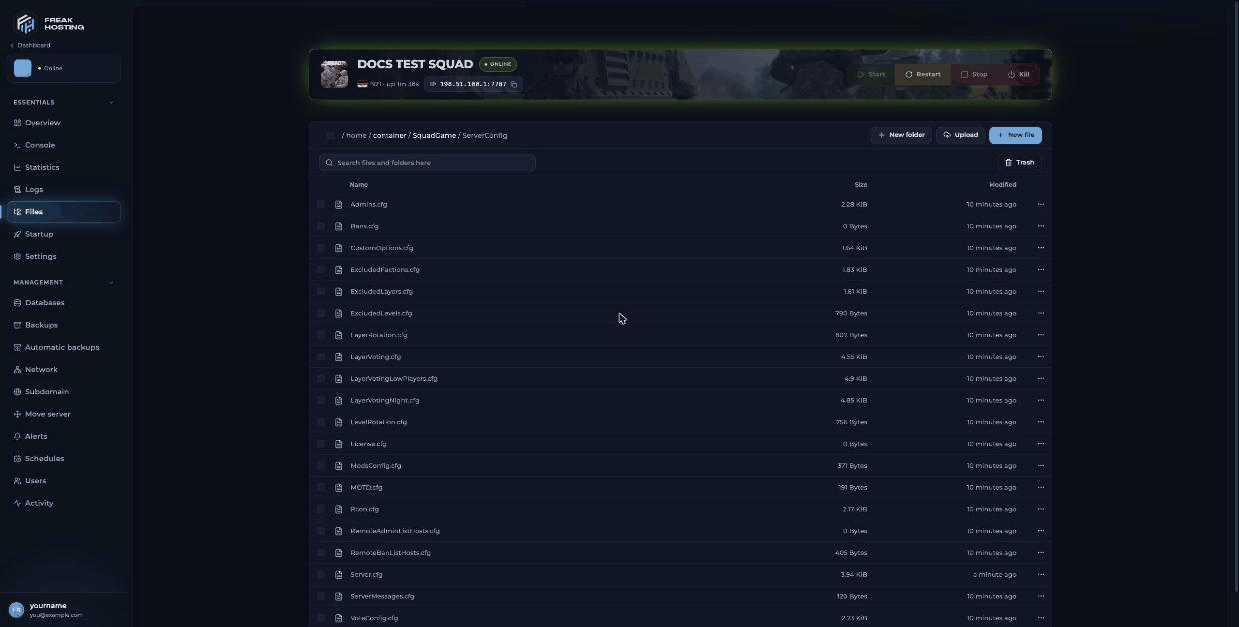
Squad ServerConfig folder in the File Manager
How to add an admin to your Squad server
1
Open Admins.cfg
Open your server, click Files and go to
SquadGame/ServerConfig/. Open Admins.cfg.2
Choose or create a group
Use
Admin or Moderator, or add your own group, for example Group=SeniorAdmin:changemap,pause,kick,ban,cameraman,reserve,teamchange,forceteamchange,canseeadminchat.3
Add the admin
Add one line per person at the end of the file:
Admin=76561198000000000:SeniorAdmin // Alex.4
Save and start
Save the file and start the server.
5
Test in game
Join the server and double-tap
~ to open the admin console. With the default Admin group (changemap) you can, for example, set the next layer with AdminSetNextLayer AlBasrah_AAS_v1. See the admin commands list.Squad admin access levels
Give only the access levels each person needs.
cheat, config and manageserver are best kept for the server owner.
Frequently asked questions
Why don’t my admin commands work?
Check that the SteamID64 is correct, that the group name in theAdmin= line matches a Group= line exactly, and that you restarted the server after saving.
How do I give a player a reserved slot without admin powers?
Create a group with onlyreserve, for example Group=Whitelist:reserve, and add the player to it. Set the number of reserved slots with Reserved Slots on Startup.
Can I load admins from a URL?
Yes.RemoteAdminListHosts.cfg takes one URL per line, each pointing to an admin file in the same format as Admins.cfg.
How do I remove an admin?
Delete theirAdmin= line, save and restart the server.
Related guides
Squad server guide
Every Squad page in one place.
Admin commands
Kick, ban, change layer and more.
Set up RCON
Run commands from outside the game.
Getting started
First setup and joining.
File Manager
Edit files in the panel.
Tested by the FREAKHOSTING team on our Game Panel on 3 November 2026 (Squad dedicated server v10.6.3). Steps may differ slightly if the game changes. Access levels checked against the official Squad Wiki.
Need Extra Help?
If you encounter any issues, our support team is ready to assist:- Live Chat: Quick assistance via our website.
- Support Ticket: Open a Ticket
- Discord: Join our Community
- Email: support@freakhosting.com
Last Updated: November 2026