csgo/cfg/server.cfg and add a line such as rcon_password "YourStrongPassword". Save and restart the server. In game, open the console, type rcon_password YourStrongPassword, then run commands with rcon, for example rcon status.
Before you start
- Your server’s
server.cfghas norcon_passwordline by default, so RCON doesn’t work until you add one. - Pick a long password that you don’t use anywhere else. Anyone with it can control your server.
How to set an RCON password
1
Open server.cfg
Open your server in the Game Panel, click Files and go to
csgo/cfg/. Open server.cfg. See the File Manager guide if you’re new to it.2
Add the password line
Add this line on its own line, near the Save the file.
hostname line:3
Restart the server
Restart the server. The panel doesn’t overwrite
server.cfg, so the password stays after restarts.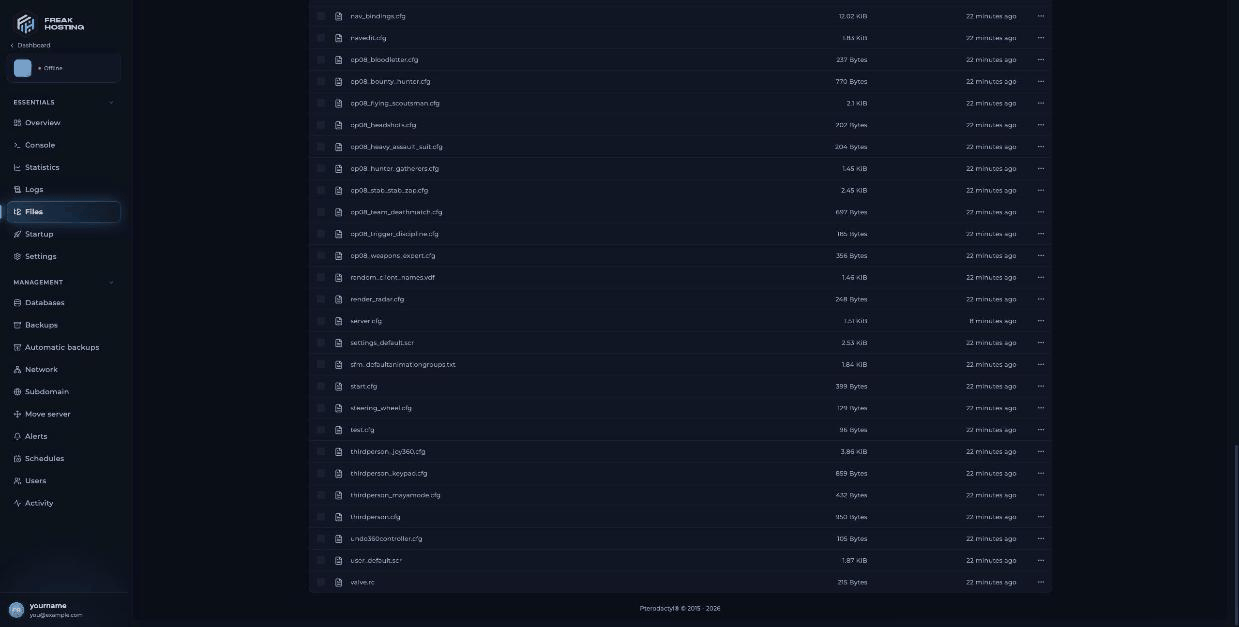
The csgo/cfg folder in Files, where server.cfg lives
How to use RCON from the CS:GO game console
1
Join your server
Connect to your server, for example
connect 203.0.113.10:27015, using the IP and port from the panel.2
Log in to RCON
Open the developer console and type:
3
Run commands
Put
rcon in front of any server command, for example rcon status or rcon changelevel de_inferno.Useful commands
You can also type the same commands, without
rcon, straight into the panel console. That needs no password.
Frequently asked questions
Why is my RCON password rejected?
The password you typed doesn’t matchrcon_password in server.cfg, or you haven’t restarted since adding it. Check for typos and quotes, save, and restart.
Can I use RCON without joining the server?
Yes, with a third-party RCON tool that supports the Source RCON protocol. Use your server’s IP and game port and the same password.Is the panel console the same as RCON?
It runs the same server commands, but from the Game Panel instead of from inside the game. Use it if you don’t want to set an RCON password.How do I change the RCON password?
Edit thercon_password line in server.cfg, save and restart.
Related guides
CS:GO server guide
Every CS:GO page in one place.
server.cfg explained
Every default line.
Set a password
Make your server private.
Change the map
changelevel and the Map setting.
Server console
Run commands from the panel.
Tested by the FREAKHOSTING team on our Game Panel on 3 November 2026 (Counter-Strike: Global Offensive legacy, version 1.38.8.1). Steps may differ slightly if the game changes.
Need Extra Help?
If you encounter any issues, our support team is ready to assist:- Live Chat: Quick assistance via our website.
- Support Ticket: Open a Ticket
- Discord: Join our Community
- Email: support@freakhosting.com
Last Updated: November 2026