Before you start
- Set your world options before the server creates its first world if you can. That happens the first time it starts with a valid Klei cluster token.
- Make a backup before you change anything on a server with a world you want to keep.
Which settings apply to an existing world?
How to change the new world settings
1
Open Game settings
Open your server in the Game Panel and click Game settings under GAME SETTINGS.
2
Switch on Use these world settings
In any New world section, make sure Use these world settings is on. When it is off, the game uses its own presets and ignores the options below.
3
Choose a World preset
World preset is the base the other options start from. The default is Survival Together.
4
Change the options
Open each section and pick a value from each dropdown. Most start on Normal or the default. Use Search settings at the top to find an option, and the Changed filter to see only what you’ve changed.
5
Review and save
Click Review and save to see exactly what will change, then Save changes. Click Discard instead to undo everything you haven’t saved.
How to change PvP, pause and votes
1
Open the Gameplay section
In Game settings, open Gameplay.
2
Set the toggles
- Players can hurt each other: player versus player fighting. Off by default.
- Pause when empty: the world is paused while nobody is online. On by default.
- Allow votes: players can start votes to kick a player, roll the world back or start a new world. On by default.
3
Save and restart
Click Review and save, Save changes, then restart the server.
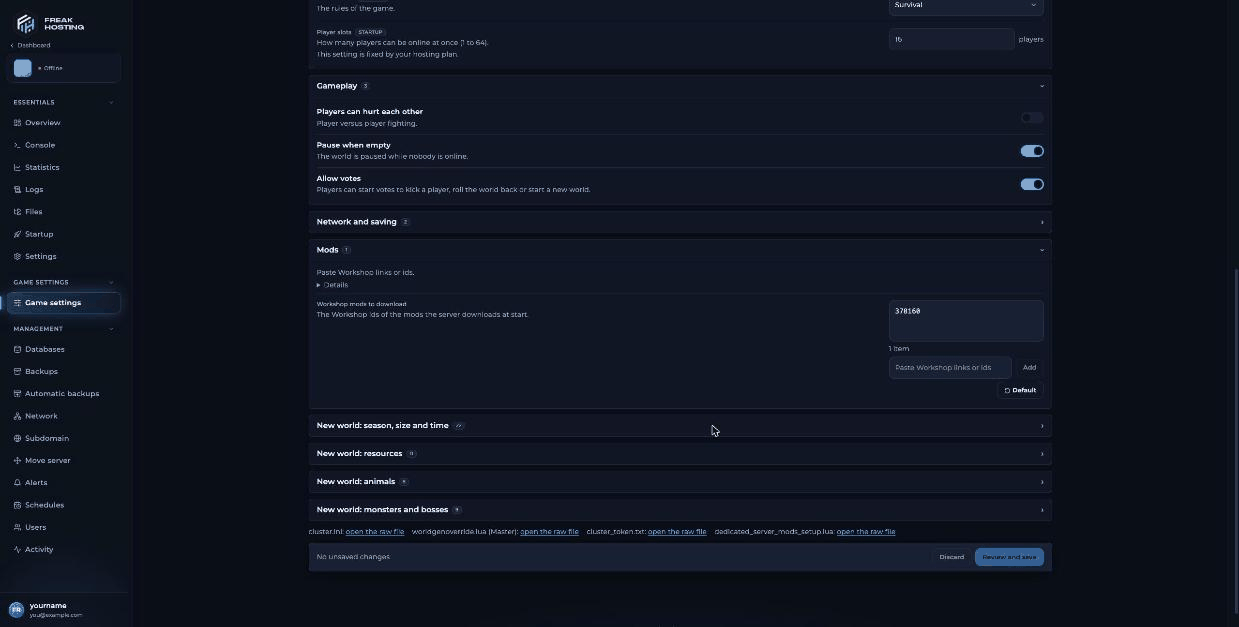
Gameplay and Mods sections on the Game settings page
How do I get a new world with my new settings?
New world options are used the next time the server generates a world. With Allow votes on, players can vote in game to start a new world. In Survival, the world also resets on its own when every player is dead for 120 seconds. If you want us to help you start fresh, open a ticket.Where are the world settings stored?
The New world options are saved toworldgenoverride.lua for the overworld (Master). The link worldgenoverride.lua (Master): open the raw file at the bottom of Game settings shows the file. The caves have their own worldgenoverride.lua in DoNotStarveTogether/config/server/Caves/, which you can edit with the File Manager.
Frequently asked questions
Why didn’t my world change after I saved new world settings?
New world options only apply to a world generated after you change them. Existing worlds keep their settings. Gameplay and Network and saving options apply after a restart.How do I turn on PvP on my DST server?
Switch on Players can hurt each other in the Gameplay section, save and restart.Does Pause when empty stop the seasons?
Yes. With Pause when empty on, the world is paused while nobody is online, so days and seasons don’t pass.Can I turn off hound attacks or bosses?
Use the dropdowns in New world: monsters and bosses, for example Hound attacks or Deerclops. They take effect in the next newly generated world.Related guides
DST server guide
Every Don’t Starve Together page in one place.
Game mode
Survival, Endless or Wilderness.
cluster.ini explained
Every setting in the file.
Console commands
Save, roll back and announce.
Backups
Back up before big changes.
Tested by the FREAKHOSTING team on our Game Panel on 3 November 2026 (Don’t Starve Together dedicated server, version 761239). Steps may differ slightly if the game changes.
Need Extra Help?
If you encounter any issues, our support team is ready to assist:- Live Chat: Quick assistance via our website.
- Support Ticket: Open a Ticket
- Discord: Join our Community
- Email: support@freakhosting.com
Last Updated: November 2026