KFGame/Config/. LinuxServer-KFGame.ini holds the game settings (name, passwords, MOTD, map cycle and modes), LinuxServer-KFEngine.ini holds engine and Workshop settings, and KFWeb.ini holds WebAdmin. On FREAKHOSTING the panel writes the name, admin password and WebAdmin port into these files at every start, so change those on Startup. The log is KFGame/Logs/Launch.log.
Where are the KF2 config files?
Open Files in the Game Panel and go toKFGame/Config/. The game creates the files on the server’s first start. FREAKHOSTING servers run on Linux, so the files start with LinuxServer-. Guides written for Windows servers call the same files PCServer-KFGame.ini and PCServer-KFEngine.ini.
What is in LinuxServer-KFGame.ini?
Don’t edit
MaxPlayers. The game resets the co-op limit to 6 at start-up. See max players.
What is in LinuxServer-KFEngine.ini?
See Workshop maps.
What is KFWeb.ini?
KFWeb.ini configures the WebAdmin web server under [IpDrv.WebServer]. The panel manages this file and writes ListenPort (the Web Admin Port from Startup) and the on/off setting (Enable WebAdmin (beta)) at every start. Leave it as it is. To use WebAdmin, see WebAdmin.
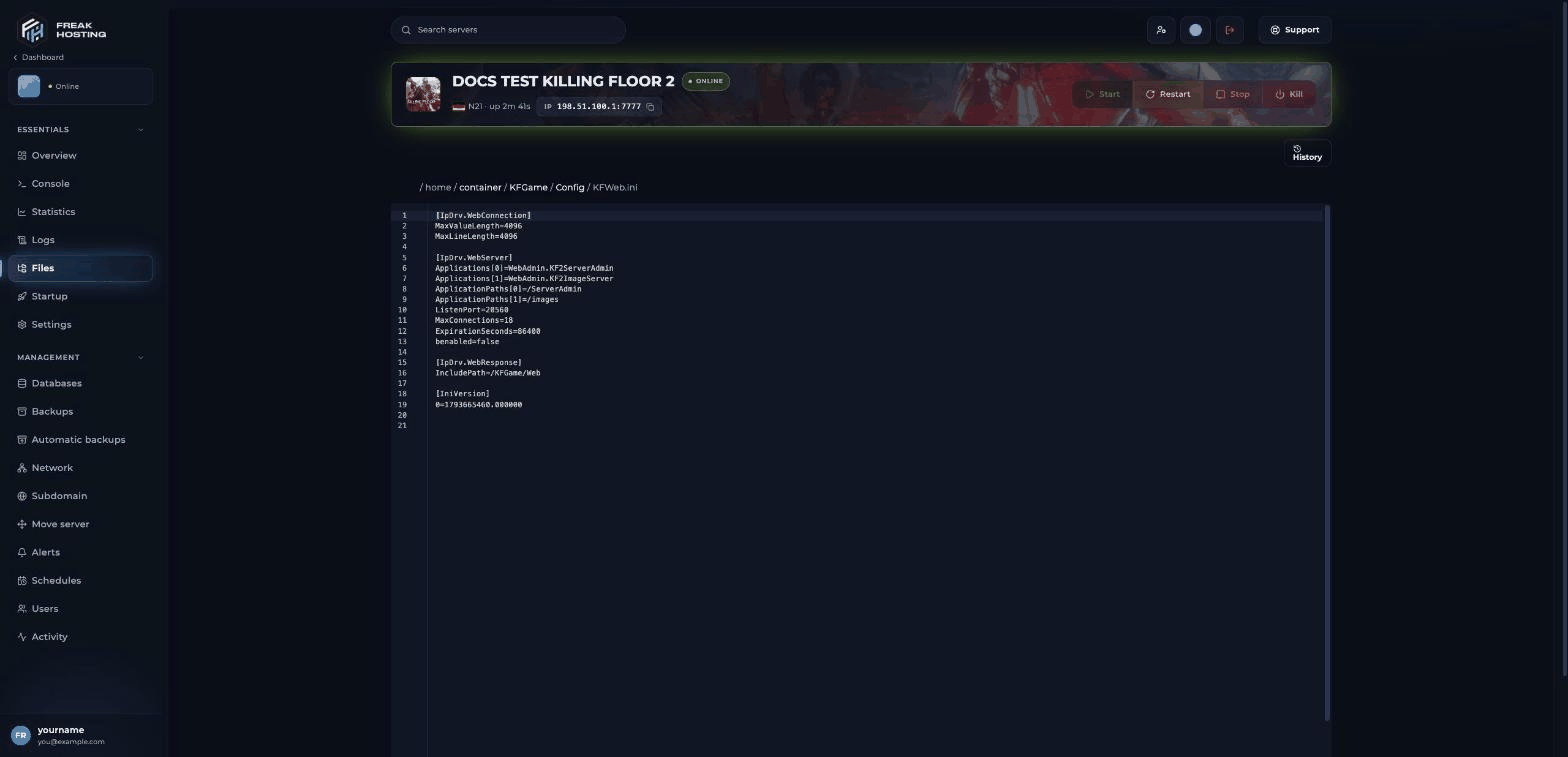
KFWeb.ini in the file editor
How to edit KF2 config files safely
1
Make a backup
Create a backup under Backups first. See backups.
2
Stop the server
Stop the server. The game can write its config files when it shuts down and overwrite your edits.
3
Edit and save
Open the file in Files, change the value and save. Keep each key in its section.
4
Start the server
Start the server and check Console for errors.
Frequently asked questions
Why are my changes gone after a restart?
Either the server was running while you edited, or you changed a key the panel writes at every start (ServerName, AdminPassword or the WebAdmin settings). Change those on Startup.
Why are there no config files on my new server?
The game creates them on the first start. Start the server once, then stop it.Can I reset a config file?
Restore a backup, or open a ticket and we’ll help.Related guides
KF2 server guide
Every Killing Floor 2 page in one place.
Server name and MOTD
Edit the welcome screen.
Server password
GamePassword.
Workshop maps
LinuxServer-KFEngine.ini.
File Manager
Open and edit files.
Tested by the FREAKHOSTING team on our Game Panel on 3 November 2026 (Killing Floor 2 dedicated server, version 9189). Steps may differ slightly if the game changes.
Need Extra Help?
If you encounter any issues, our support team is ready to assist:- Live Chat: Quick assistance via our website.
- Support Ticket: Open a Ticket
- Discord: Join our Community
- Email: support@freakhosting.com
Last Updated: November 2026