conf.json to set your server name and, if you want to be listed, "announce": true. Start the server and join from the RAGE Multiplayer launcher’s Direct Connect tab with your address, for example 203.0.113.10:22005.
Before you start
- Log in to the Game Panel.
- Install GTA V and the RAGE Multiplayer launcher on your PC. RAGE:MP does not support pirated copies of the game.
- Your server has no game settings page. Everything except Max Players, which your plan sets, is set in
conf.json.
How to set up your RAGE:MP server
1
Check the player limit
Click Startup. Under Variables, Max Players shows the player slots in your plan. It is read only; for more slots, open a ticket. The panel writes this value into
conf.json as maxplayers every time the server starts.2
Open conf.json
Click Files and open
conf.json. See the File Manager guide if you are new to it.3
Name your server
Change
"name" from "RAGE:MP Unofficial server" to your own name. RAGE:MP suggests putting tags in brackets, for example "My Roleplay [RP]".4
Choose whether to be listed
Set
"announce": true to appear in the launcher’s server list. Leave it false to keep the server private to people who know the address.5
Save and start
Click Save Content, then start the server and watch the console for errors from your scripts.
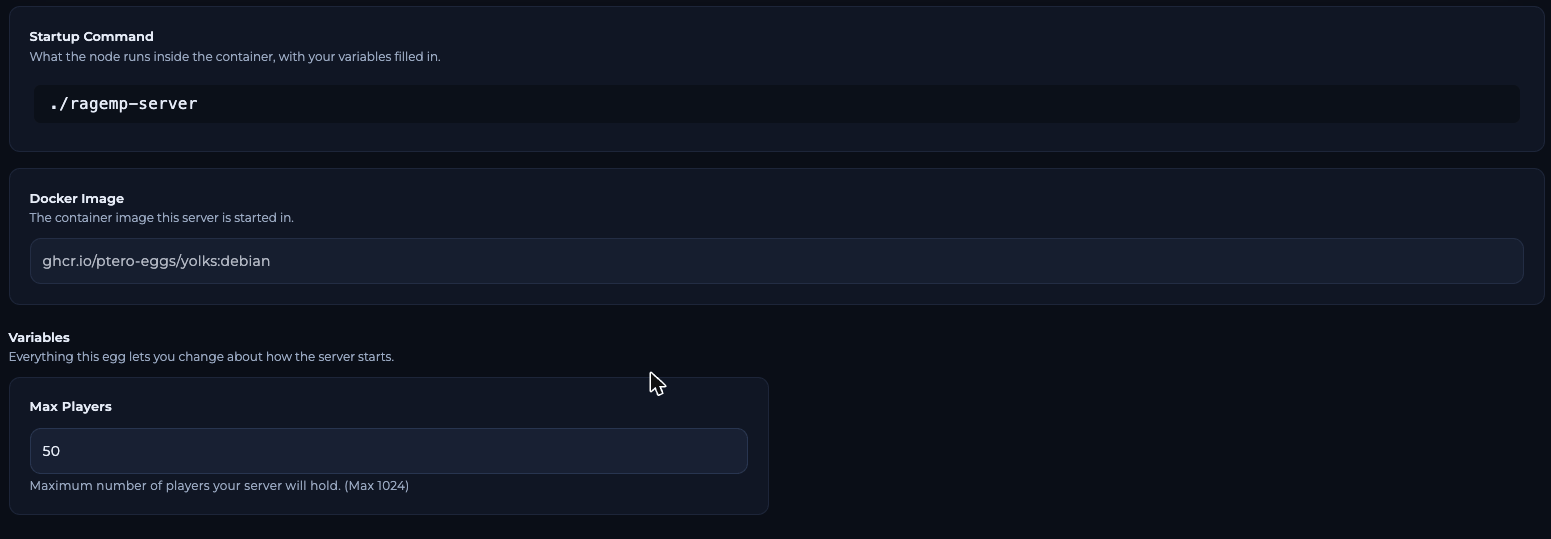
Startup page of a RAGE:MP server in the FREAKHOSTING Game Panel
What the panel sets for you
Leave
"bind": "0.0.0.0" as it is, so the server listens on its public address.
How to join your RAGE:MP server
Your server also uses the next port, 22006, to send client packages to players. Both ports are already set up on your server.
Add your gamemode
A new server runs the defaultfreeroam setting with no scripts. Upload your own gamemode to packages and client_packages; see install scripts. Make a backup before big changes.
Frequently asked questions
Why does my maxplayers value in conf.json keep changing back?
The panel writes Max Players from Startup intoconf.json each time the server starts. Max Players is set by your plan; for more slots, open a ticket.
What port does a RAGE:MP server use?
22005 for the game (UDP and TCP) and 22006 for the HTTP server that sends client packages. Players join on the game port.How do I make my server private?
Keep"announce": false. Players can then only join with the address through Direct Connect. The official list of conf.json settings has no server password, so a whitelist must be scripted in your gamemode.
Can I change the gamemode in the panel?
No. Thegamemode key and your scripts are set in Files. See conf.json explained.
Related guides
RAGE:MP server guide
Every RAGE:MP page in one place.
conf.json explained
All common settings.
Install scripts
Add your gamemode.
Not showing in the list
Get listed or join directly.
Startup variables
How Startup works.
Checked against the official RAGE Multiplayer wiki and our Game Panel on 2 November 2026. Steps may differ slightly if RAGE Multiplayer changes.
Need Extra Help?
If you encounter any issues, our support team is ready to assist:- Live Chat: Quick assistance via our website.
- Support Ticket: Open a Ticket
- Discord: Join our Community
- Email: support@freakhosting.com
Last Updated: November 2026