steam_server_heartbeat_enabled to 1, which lists the server on the Steam master server. Check that the server is running and search for your exact Server Hostname. You can always join directly with connect and your address.
How to fix a missing server
1
Check the server is running
Open the server in the Game Panel and check its state. If it is offline, start it and watch the console for errors.
2
Turn on Advertise Server
Click Startup and make sure Advertise Server is on. Its help text reads “Display the server in the public server browser.”
3
Restart the server
Restart the server. Startup changes apply when the server starts.
4
Wait a few minutes
Give the server a few minutes after it starts before you search for it.
5
Search with the right filter
In Steam, open View > Game Servers, use the Internet tab, set the game to Risk of Rain 2 and look for your exact Server Hostname.
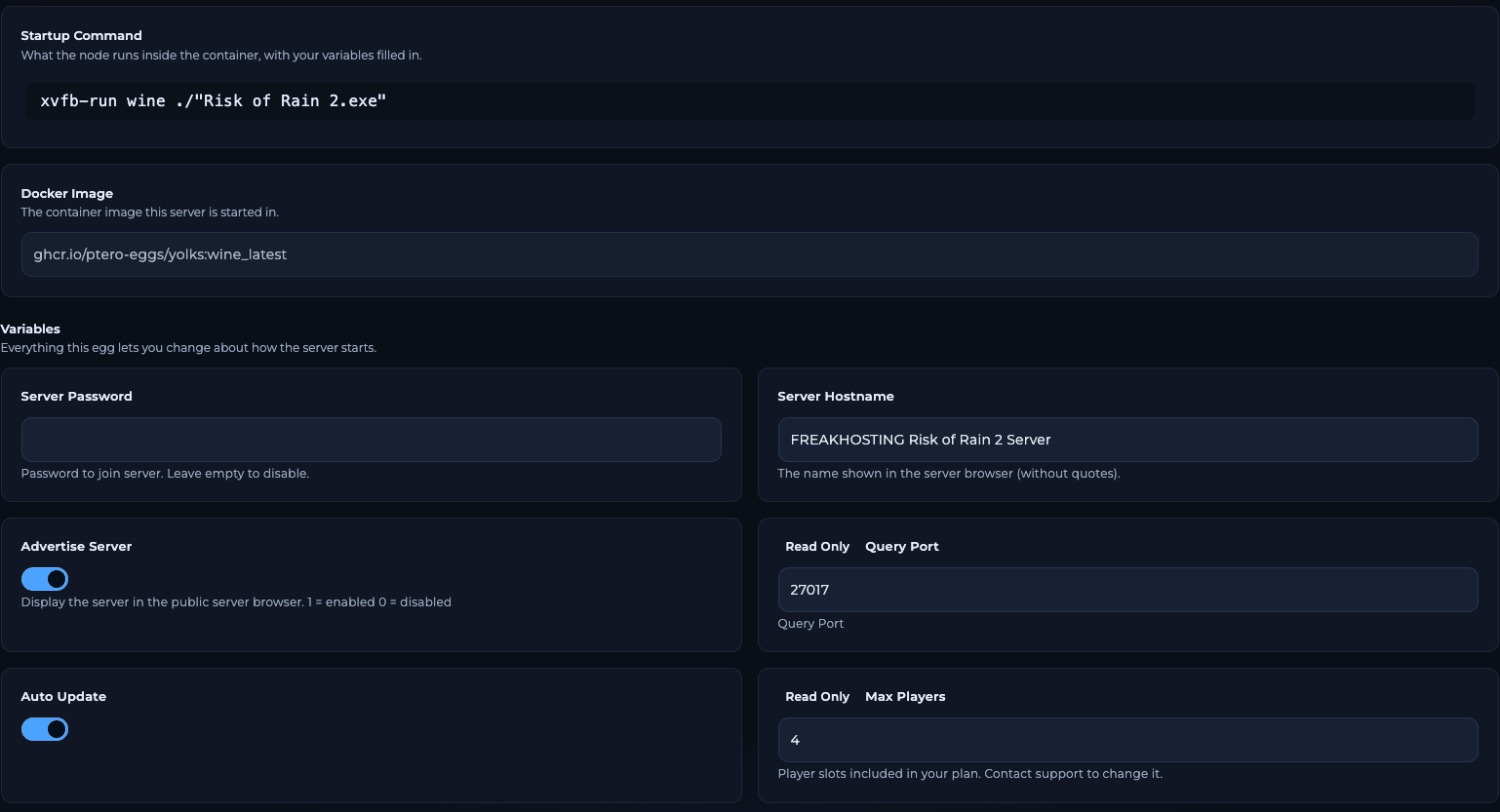
Advertise Server on the Startup page
Common causes
How to join when the server isn’t listed
Players don’t need the list. Copy the PRIMARY address from Network and type this in the game console (Ctrl + Alt + ~):cl_password "yourpassword"; connect "203.0.113.10:27015". See join your server.
Frequently asked questions
Should I edit steam_server_heartbeat_enabled in server.cfg?
No. The panel rewrites it from Advertise Server at every start. Use the switch on Startup.I want my server hidden. What do I do?
Turn Advertise Server off and restart. Players then join only withconnect and your address.
Do tags help my server show up?
No. Tags only label a listed server. They need Advertise Server on too. See server browser tags.It still doesn’t show after all of this. What now?
Join withconnect to check the server works, then open a ticket with your server name.
Related guides
Risk of Rain 2 server guide
Every Risk of Rain 2 page in one place.
Join your server
Server list and console connect.
Server browser tags
Label your server.
Getting started
All Startup fields.
Server logs
Find start-up errors.
Tested by the FREAKHOSTING team on our Game Panel on 3 November 2026 (Risk of Rain 2 dedicated server, Startup and Network pages). In-game steps follow the official Risk of Rain 2 Wiki console page. Steps may differ slightly if the game changes.
Need Extra Help?
If you encounter any issues, our support team is ready to assist:- Live Chat: Quick assistance via our website.
- Support Ticket: Open a Ticket
- Discord: Join our Community
- Email: support@freakhosting.com
Last Updated: November 2026