Commands.dat or Config.txt, and save. The old file is kept as a .bak copy. Changes apply after a restart.
How to change a setting
1
Open Game settings
Open your server and click Game settings under GAME SETTINGS.
2
Find the setting
Type in Search settings, or switch from All to Changed to see only what you changed. Tick Show advanced settings (5) to show the advanced fields.
3
Review and save
Change the field and click Review and save. The Review your changes dialog shows each line that changes. Click Save changes.
4
Restart the server
If the server is running, click Restart now in the banner, or restart the server later.
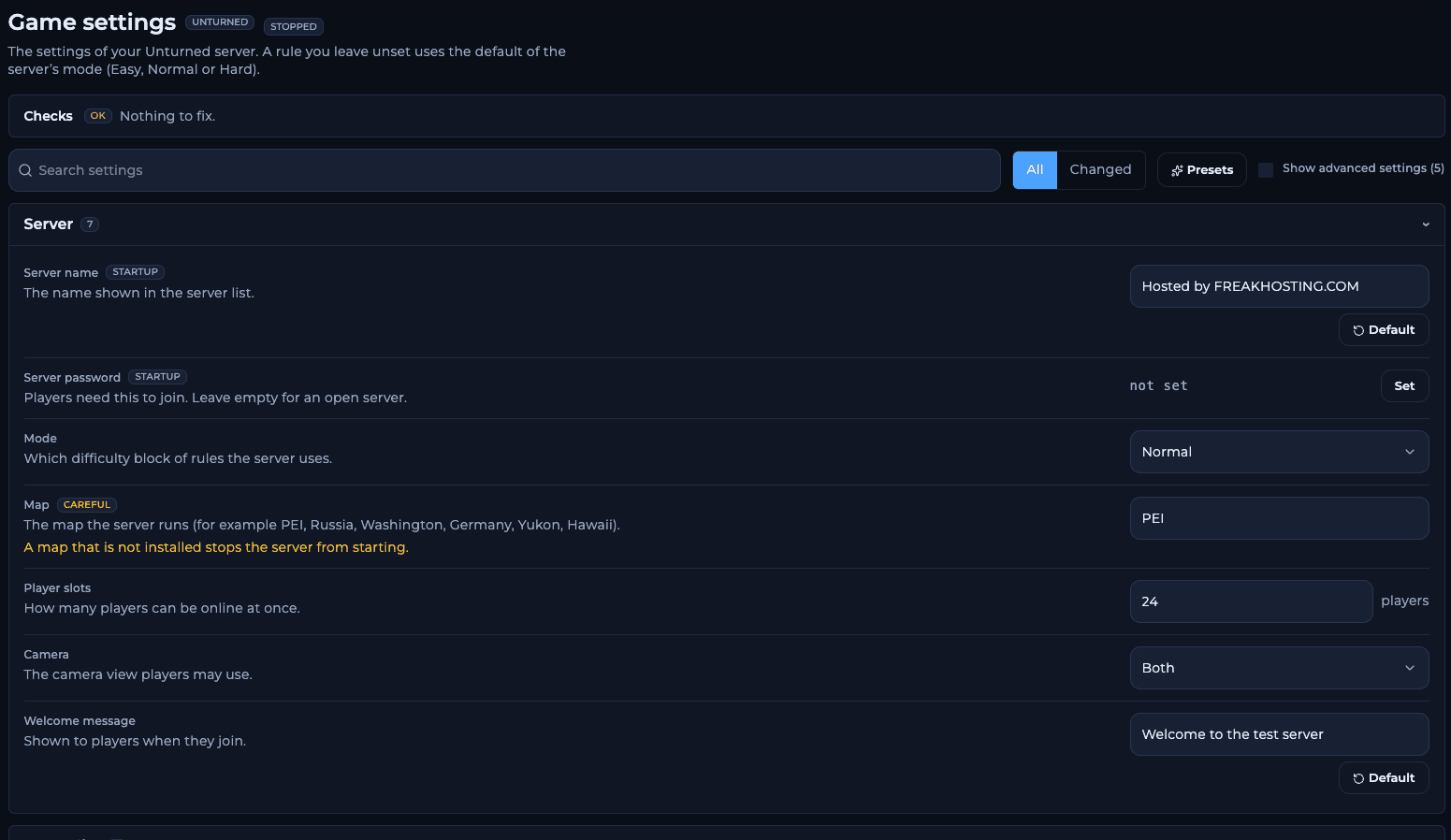
The Game settings page with Checks and the Server section
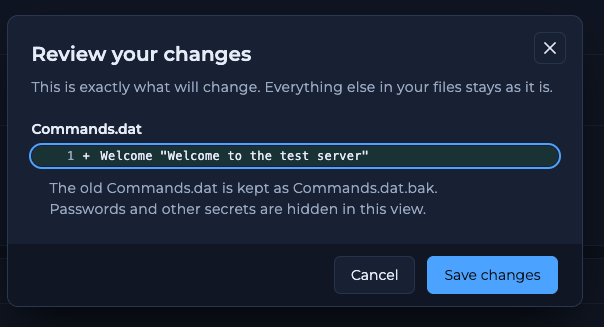
Review your changes shows the exact line written to Commands.dat
What do the presets do?
Presets fill in several settings at once. Nothing is saved until you review and save.Server
Map is marked CAREFUL: a map that is not installed stops the server from starting. Workshop maps such as Hawaii must be downloaded first. See Workshop maps.
Server list
See how to set a GSLT.
Limits and safety
With Valve Anti-Cheat or BattlEye off, cheaters can join. A server that shuts itself down stays off; add a schedule to start it again.
Zombies
Items and vehicles
More on loot: loot spawn rate and respawn.
Players
To let players keep their items when they die, set both Items lost on death fields to
0.
Gameplay rules
Weather and airdrops
Where are the files?
Config.txt explains each option in comments that start with >, with the Easy, Normal and Hard defaults. For commands you can add by hand, see server commands.
Frequently asked questions
Do I need to restart after changing a setting?
Yes. Unturned readsCommands.dat and Config.txt when it starts, so restart after you save.
Why did my change not apply?
The server was still running with the old settings, or the map wasn’t installed. Restart, then check the console. If a file edit broke something, the.bak copy has the previous version.
Where do I turn on cheats or set the owner?
There is no field for them. AddCheats or Owner <SteamID64> to Commands.dat with Commands.dat: open the raw file. See how to become admin.
Can I turn off PvP?
Add the linePvE to Commands.dat while the server is stopped. Friendly fire only controls damage inside a group.
Related guides
Unturned server guide
Every Unturned page in one place.
Getting started
Set up and join your server.
Loot spawn rate
Item spawn chance and respawn.
Server commands
Commands.dat and console commands.
File Manager
Edit files by hand.
Tested by the FREAKHOSTING team on our Game Panel on 2 November 2026 (Unturned 3.26.3.13 with RocketMod 4.9.3.18). Steps may differ slightly if the game changes.
Need Extra Help?
If you encounter any issues, our support team is ready to assist:- Live Chat: Quick assistance via our website.
- Support Ticket: Open a Ticket
- Discord: Join our Community
- Email: support@freakhosting.com
Last Updated: November 2026