server.cfg: name, passwords, region, friendly fire, round time, team balance, voice and downloads. You review every changed line before saving, and the old file is kept as server.cfg.bak. Restart the server to apply.
How to change a setting
1
Stop the server
Stop the server so the new
server.cfg is read on the next start.2
Open Game settings
Click Game settings under GAME SETTINGS. Use Search settings to find a field, or switch from All to Changed to see only what differs from the defaults.
3
Change the fields
Edit the fields you need. A Default button next to a field puts the module’s default value back.
4
Review and save
Save to open the review window. It shows each changed line of
server.cfg, for example - mp_roundtime 5 and + mp_roundtime 3. Passwords and other secrets are hidden in this view. Click Save changes, or Cancel to go back.5
Start the server
Start the server. To check a value, type its name in the console, for example
mp_roundtime.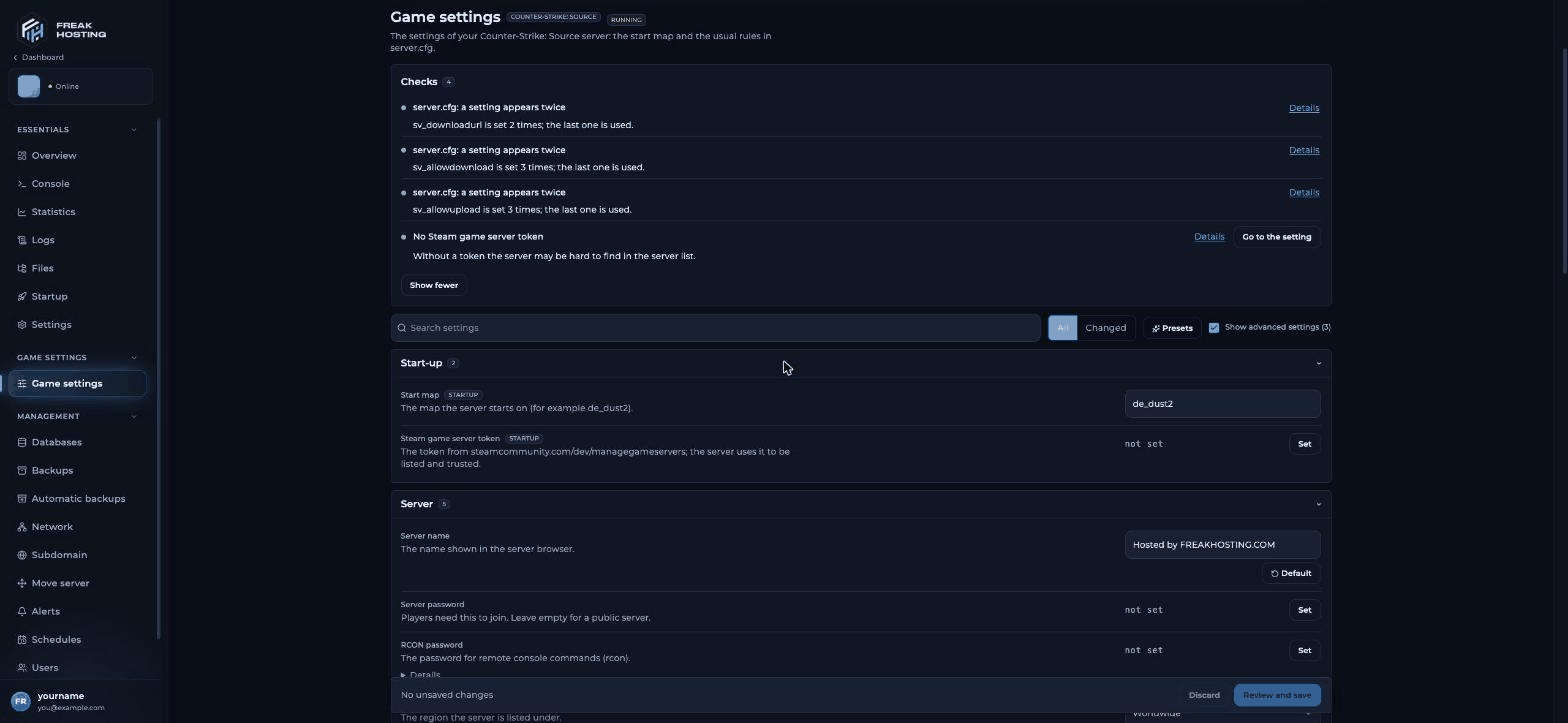
Game settings with Checks, Presets and the Start-up and Server sections
What the tags mean
Every setting in Game settings
Start-up
Server
Security and downloads
Chat and voice
Logging
Rounds and rules
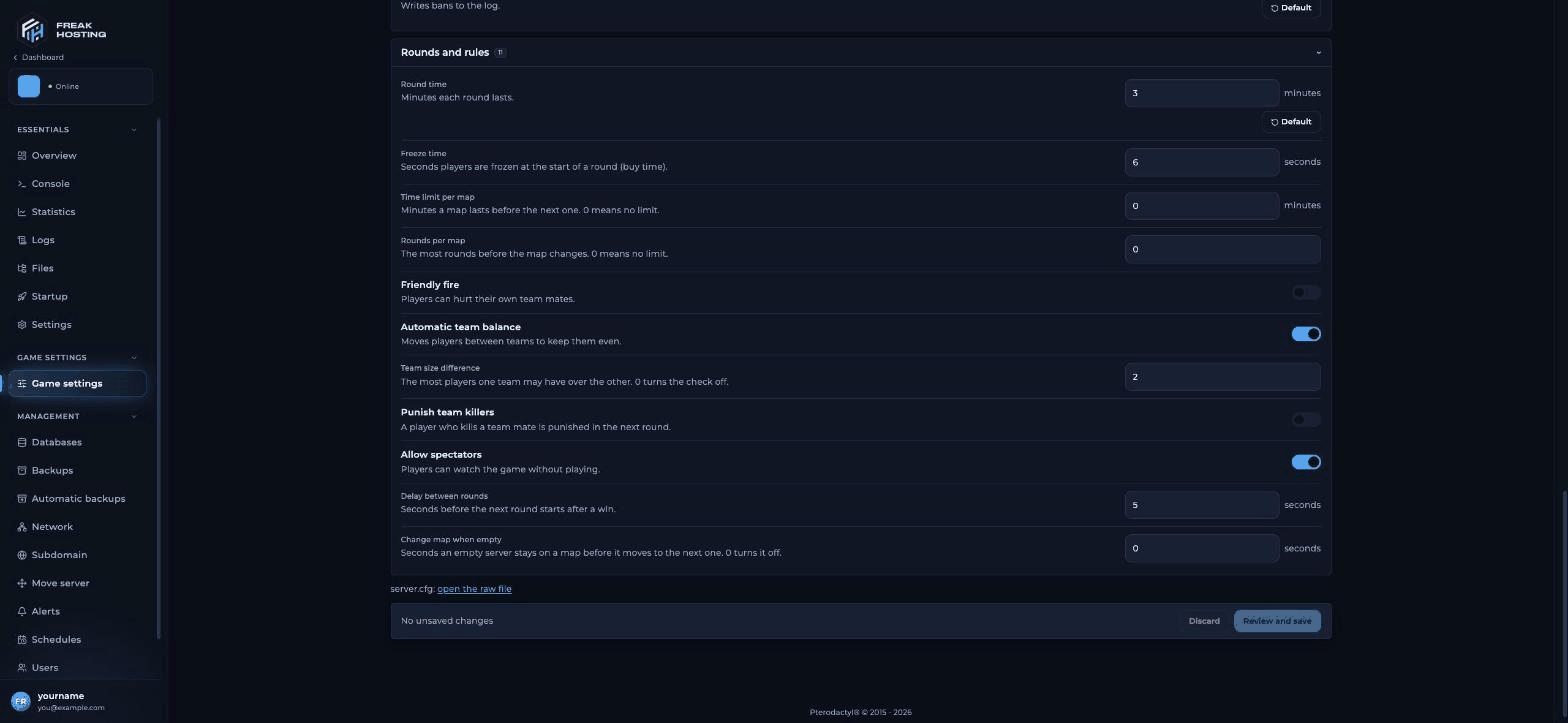
The Rounds and rules section of Game settings
Click Show advanced settings to see the advanced field.
Presets
A preset fills in several fields at once. Nothing is saved until you review and save.Checks
The Checks box lists notes about your config. No Steam game server token means the server may be hard to find in the server list; click Go to the setting to add one. Notes thatsv_downloadurl, sv_allowdownload or sv_allowupload appear more than once are expected: the panel writes the FastDL lines at every start, and the last line counts. Leave them.
Settings not in Game settings
For anything else, click server.cfg: open the raw file and edit/cstrike/cfg/server.cfg directly. See server.cfg explained and console commands and cvars.
Frequently asked questions
Do I need to restart after saving?
Yes.server.cfg is read when the server starts, so restart to apply your changes.
How do I undo a change?
Click Default next to the field and save again, or restoreserver.cfg.bak with the File Manager.
Can I change Max Players here?
No. Max Players comes from your plan and is read-only in Startup.Why doesn’t the RCON password show in server.cfg?
A newserver.cfg has no rcon_password line. Set RCON password and save to add it.
Related guides
CS:S server guide
Every CS:S page in one place.
server.cfg explained
Every line in the file.
Server password
Make the server private.
War server
Settings for matches.
Startup variables
Map, token and Max Players.
Tested by the FREAKHOSTING team on our Game Panel on 31 October 2026 (Counter-Strike: Source dedicated server). Steps may differ slightly if the game changes.
Need Extra Help?
If you encounter any issues, our support team is ready to assist:- Live Chat: Quick assistance via our website.
- Support Ticket: Open a Ticket
- Discord: Join our Community
- Email: support@freakhosting.com
Last Updated: October 2026