Couldn't find resource <name> means the server has no resource with that exact name. Usually the ensure line and the folder name don’t match (including capital letters), fxmanifest.lua is one folder too deep, or the server hasn’t scanned the new folder yet. Fix the name or folder, run refresh, then ensure <name>.
How to fix “Couldn’t find resource”
1
Compare the names
The name after
ensure must be exactly the resource’s folder name. Names are case-sensitive on the server: ensure vmenu doesn’t find a folder called vMenu. Rename the folder in Files or fix the ensure line.2
Check where fxmanifest.lua is
The manifest must sit directly in the resource folder:Move the files up one level, or rename the folder, so the folder name matches your
ensure line.3
Check it has a manifest at all
A folder is only a resource if it has a manifest:
fxmanifest.lua, or __resource.lua in very old resources. __resource.lua is the outdated format, so look for a newer version of such resources.4
Refresh and start it
Click Refresh resources above the console, then Ensure resource with the name. Or type
refresh and then ensure myscript.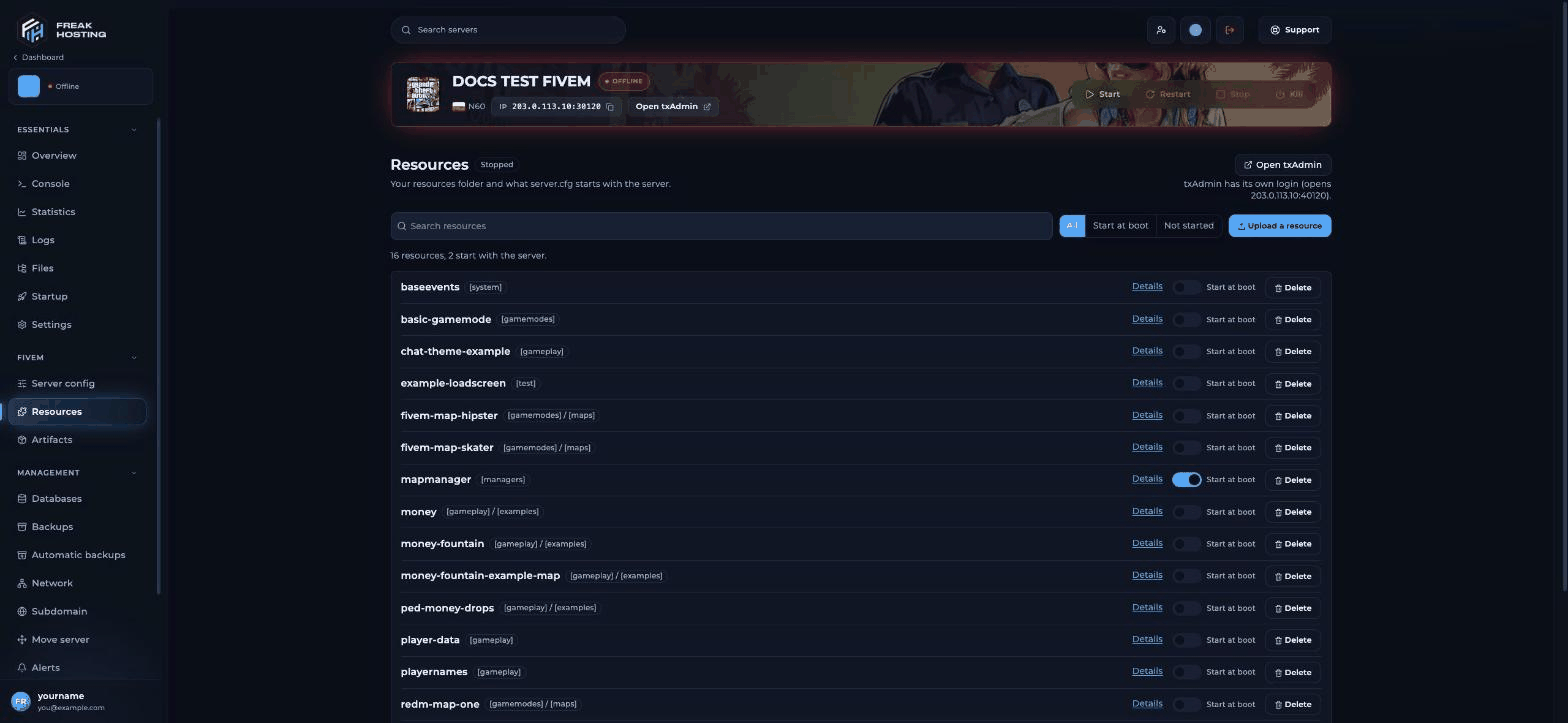
The Resources page shows the exact folder name of every resource
ensure line with the right name.
Other reasons a resource won’t start
Frequently asked questions
Do I need to restart after uploading a resource?
No. Runrefresh, then ensure <name>. A restart does the same at start-up.
Why does it work on my PC’s server but not here?
Windows ignores capital letters in folder names; the Linux server doesn’t. Check the exact spelling.Can I put resources in subfolders?
Only in category folders whose names are in square brackets, such asresources/[cars]/mycar. Other subfolders hide the resource.
Where do I see the error?
In the Console right after the start, and in Logs. See how to read server logs.Related guides
FiveM server guide
Every FiveM guide in one place.
Install mods and resources
Upload resources the right way.
Resource start order
Dependencies and ensure order.
Console commands
refresh, ensure and restart.
Reviewed by the FREAKHOSTING team on 29 October 2026. Game Panel steps were checked on our panel (FXServer build 35245 (Recommended) with txAdmin); game and plugin details follow their official documentation. Steps may differ slightly if FiveM, txAdmin or the resource change.
Need Extra Help?
If you encounter any issues, our support team is ready to assist:- Live Chat: Quick assistance via our website.
- Support Ticket: Open a Ticket
- Discord: Join our Community
- Email: support@freakhosting.com
Last Updated: October 2026