http://<address>/info.json opens in a browser, and no firewall filter blocks the traffic. If players time out while loading, a broken resource, a new game build or an old FiveM cache is the usual cause.
How to fix FiveM failed to connect
1
Use the exact address
Copy the address from the Copy address card on the Console, for example The port matters: your server may not use the default
203.0.113.10:30120. In FiveM, press F8 and type:30120.2
Check the server is running
The status at the top must be online, and the console must show no red errors at start-up. A licence key error stops the server; see how to change your licence key.
3
Test info.json
Open
http://203.0.113.10:30120/info.json in a browser, with your own address. If text appears, the server answers and the problem is on the player’s side or during loading. If nothing loads, the server isn’t reachable.4
Check firewall filters
If you applied a DDoS filter to your IP in the Firewall Panel, make sure it allows FiveM traffic on your server’s port. See how to apply DDoS filters.
5
Check the player's side
Ask the player to restart FiveM, clear their FiveM cache and try another network. Some school and work networks block game traffic.
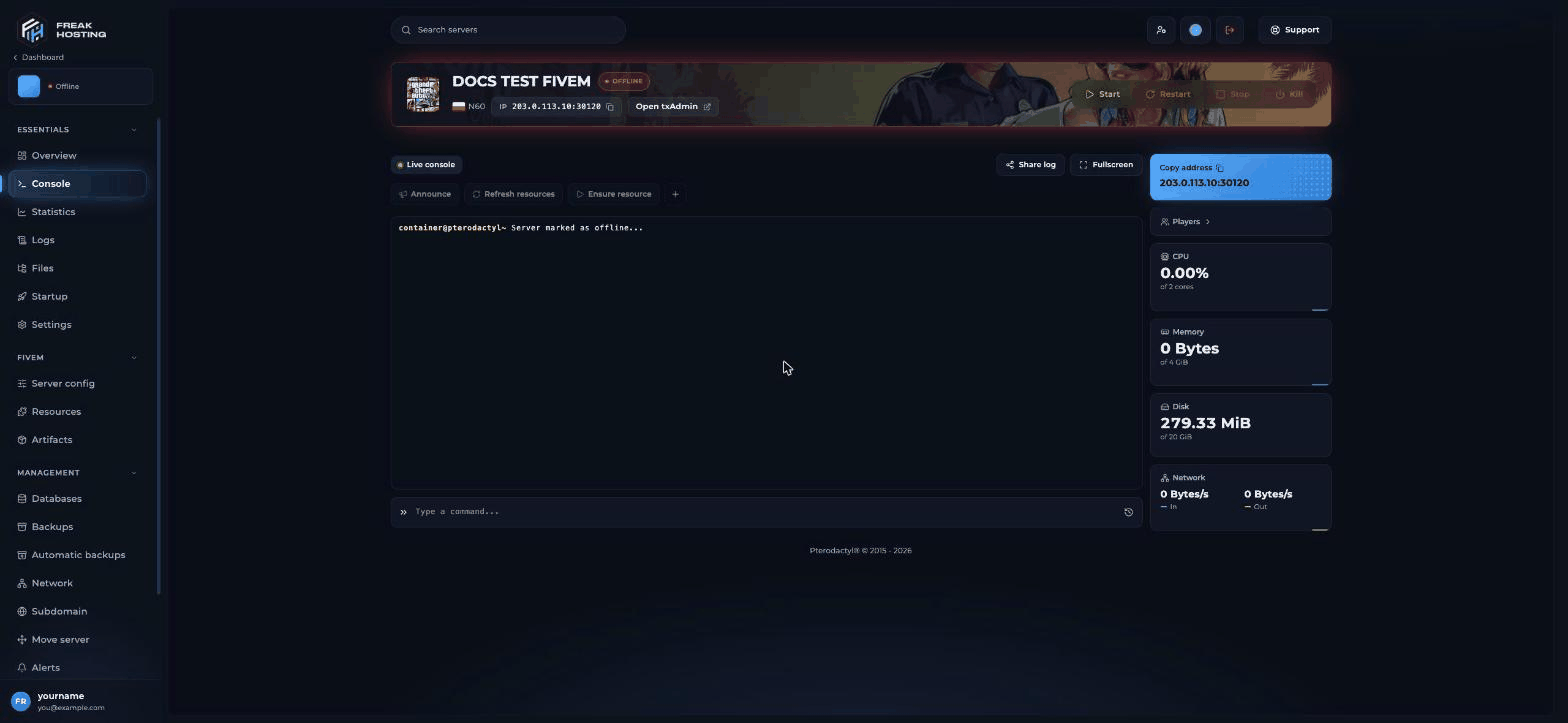
Copy address and the server status on the FiveM console
Players time out while loading
Players are refused with a message
A message instead of a time-out means the server answered and chose to refuse:- Allowlist or whitelist: txAdmin’s allowlist is on. See Discord whitelist.
- Banned: check txAdmin’s ban list.
- Server full: all player slots are taken. See player slots.
Frequently asked questions
Can I connect with a domain instead of the IP?
Yes, if your domain’s A record points to the server’s IP. Players still add the port, for exampleconnect play.example.com:30120.
Why can I connect but my friend can’t?
The server works, so check your friend’s side: their FiveM cache, their network, and whether they are allowlisted or banned.The server is online in the panel but FiveM says it’s offline. Why?
The server may still be loading resources. Wait until the console stops printing start-up messages, then try again.I still can’t connect. What should I send support?
Click Share log on the console and open a ticket with the link and the exact error the player sees. The log link removes passwords, keys and IP addresses automatically.Related guides
FiveM server guide
Every FiveM guide in one place.
Not in the server list
When the server isn’t listed.
Clear the FiveM cache
Fix old and missing files.
Network thread hitch
Rubber-banding and time-outs.
Reviewed by the FREAKHOSTING team on 29 October 2026. Game Panel steps were checked on our panel (FXServer build 35245 (Recommended) with txAdmin); game and plugin details follow their official documentation. Steps may differ slightly if FiveM, txAdmin or the resource change.
Need Extra Help?
If you encounter any issues, our support team is ready to assist:- Live Chat: Quick assistance via our website.
- Support Ticket: Open a Ticket
- Discord: Join our Community
- Email: support@freakhosting.com
Last Updated: October 2026