What do the version messages mean?
How to find the server’s version
Open Version Changer. The status line shows what is installed, for example Currently installed: Paper 26.1.1 (#29). That number is the version players need.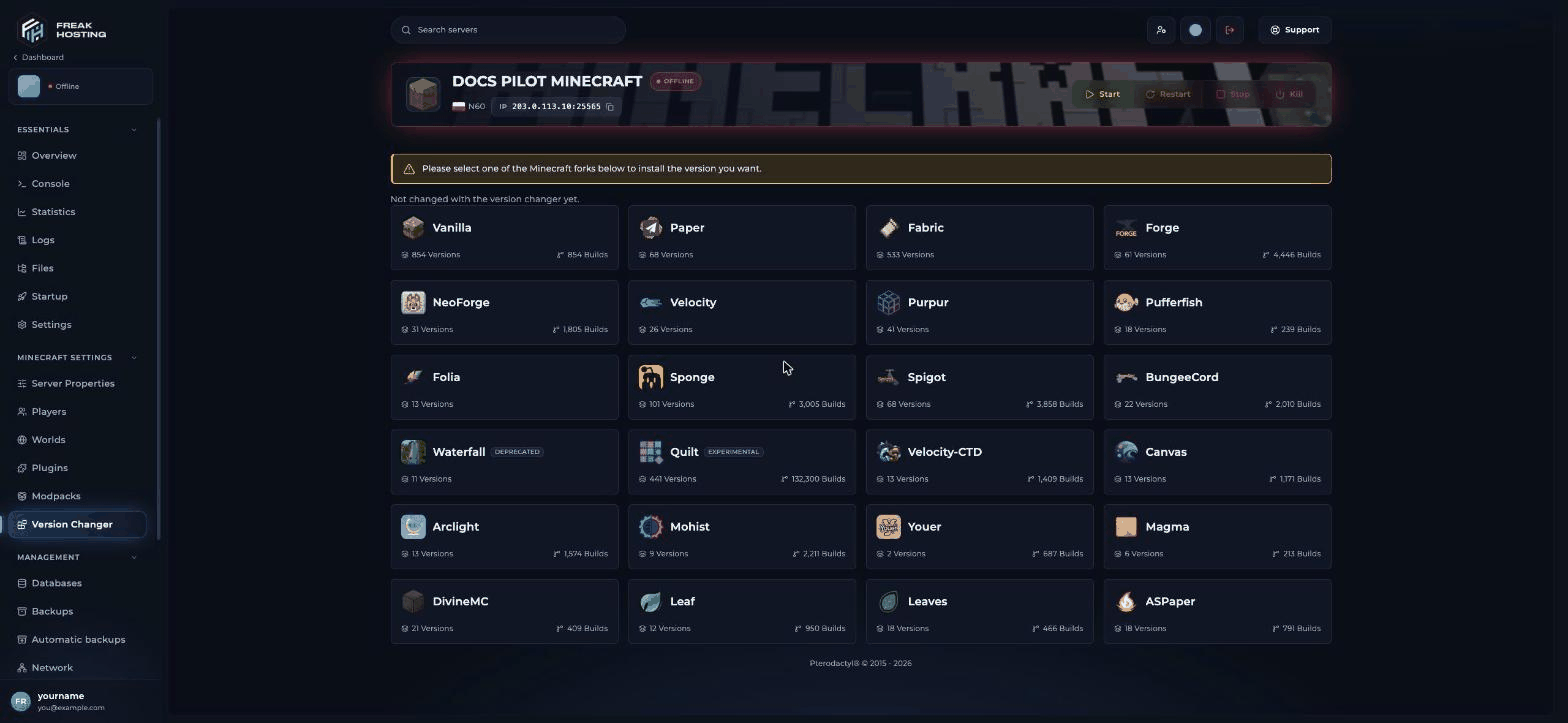
Version Changer shows the installed version
Fix 1: Play on the server’s version
1
Open the Minecraft Launcher
Go to Installations and click New installation.
2
Pick the version
Choose the server’s version, for example
26.1.1, and click Create.3
Play
Click Play on that installation and join the server.
Fix 2: Change the server’s version
If everyone has moved to a newer version, update the server.1
Make a backup
Click Backups, then Create backup.
2
Pick the version
In Version Changer, click your server type, choose the new Minecraft Version and click Change Version. Leave Delete Server Files off to keep your world.
3
Update plugins or mods
Check Plugins or Mods > Installed > Check for updates. Old plugins may not load on a new version.
Fix 3: Let several versions join with ViaVersion
On a Paper server, install ViaVersion from Plugins so newer clients can join. Add ViaBackwards for older clients. See ViaVersion.Frequently asked questions
Why does it say outdated server when I just updated?
Your game is newer than the server. Either play on the server’s version, update the server with Version Changer, or install ViaVersion.Bedrock players see “Outdated client” or “Outdated server”. What now?
That is a Geyser version issue. Players update Minecraft Bedrock, and you update Geyser on Plugins > Installed. See GeyserMC.Which version should my server run?
The version most of your players use. For modpacks, the version the pack is made for.What do the 26.x version numbers mean?
Minecraft moved to year-based versions after 1.21.11, so 26.1 is a 2026 release that comes after 1.21.11. Version Changer lists both the new and older versions.Related guides
Minecraft server guide
Every Minecraft guide in one place.
Change your server version
Version Changer step by step.
ViaVersion
Let several versions join.
Can't connect
Other connection errors.
Reviewed by the FREAKHOSTING team on 29 October 2026. Game Panel steps were checked on our panel (Minecraft 26.1, Paper and Fabric); game and plugin details follow their official documentation. Steps may differ slightly if the game or its plugins change.
Need Extra Help?
If you encounter any issues, our support team is ready to assist:- Live Chat: Quick assistance via our website.
- Support Ticket: Open a Ticket
- Discord: Join our Community
- Email: support@freakhosting.com
Last Updated: October 2026