server.properties is the main settings file of a Minecraft Java server. It sets the MOTD, difficulty, game mode, player slots, view distance, whitelist, online mode and world options. On a FREAKHOSTING server you change the most used settings on the Server Properties page in plain language, and the rest by editing server.properties in Files. Changes apply the next time the server starts.
How does the Server Properties page work?
- It shows the settings of
server.propertiesin plain language. - Only what you change is written. The rest of the file stays as it is.
- A setting you haven’t changed shows a DEFAULT badge.
- The page detects your server type and Minecraft version. Settings your version doesn’t have are switched off.
- The bar at the bottom has Discard, Save and Save and restart.
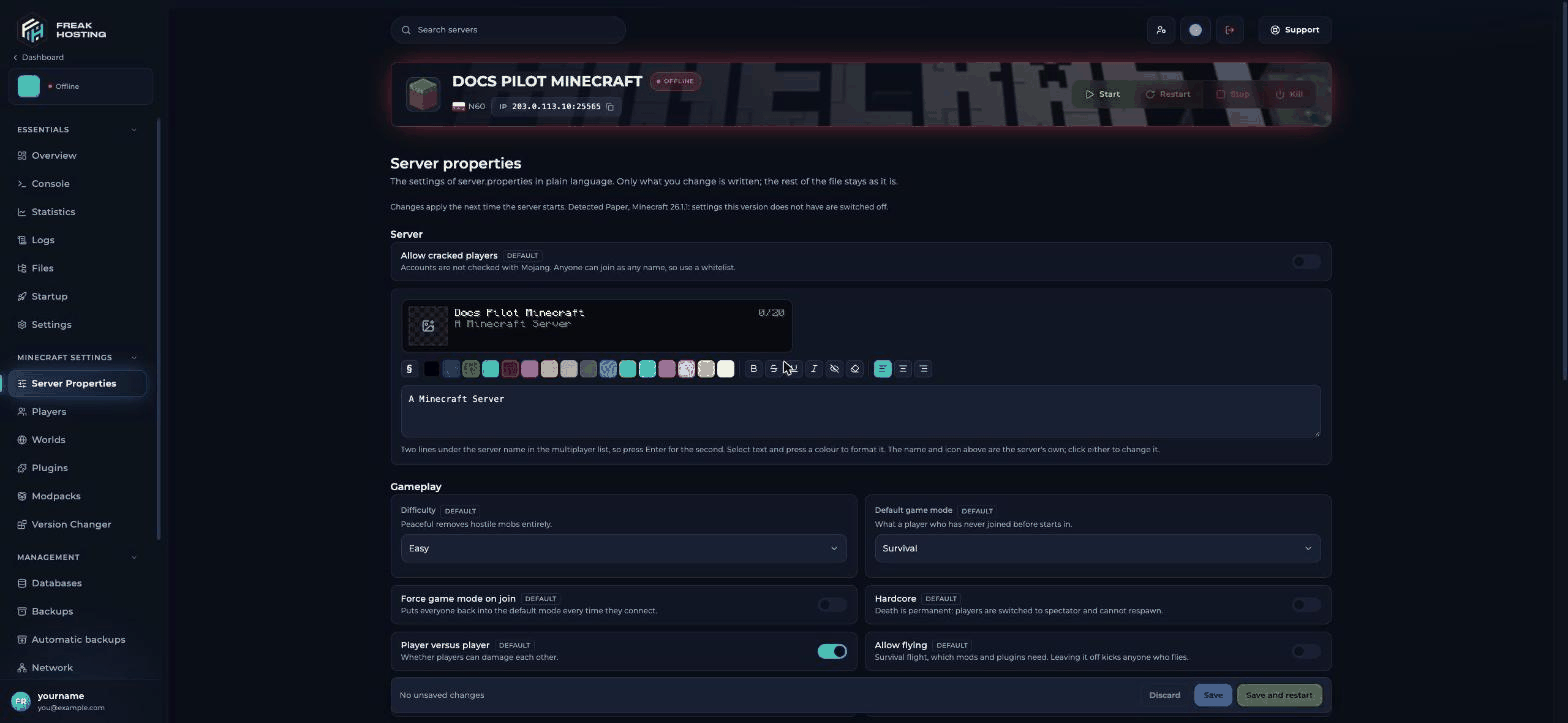
The Server Properties page
Settings on the Server Properties page
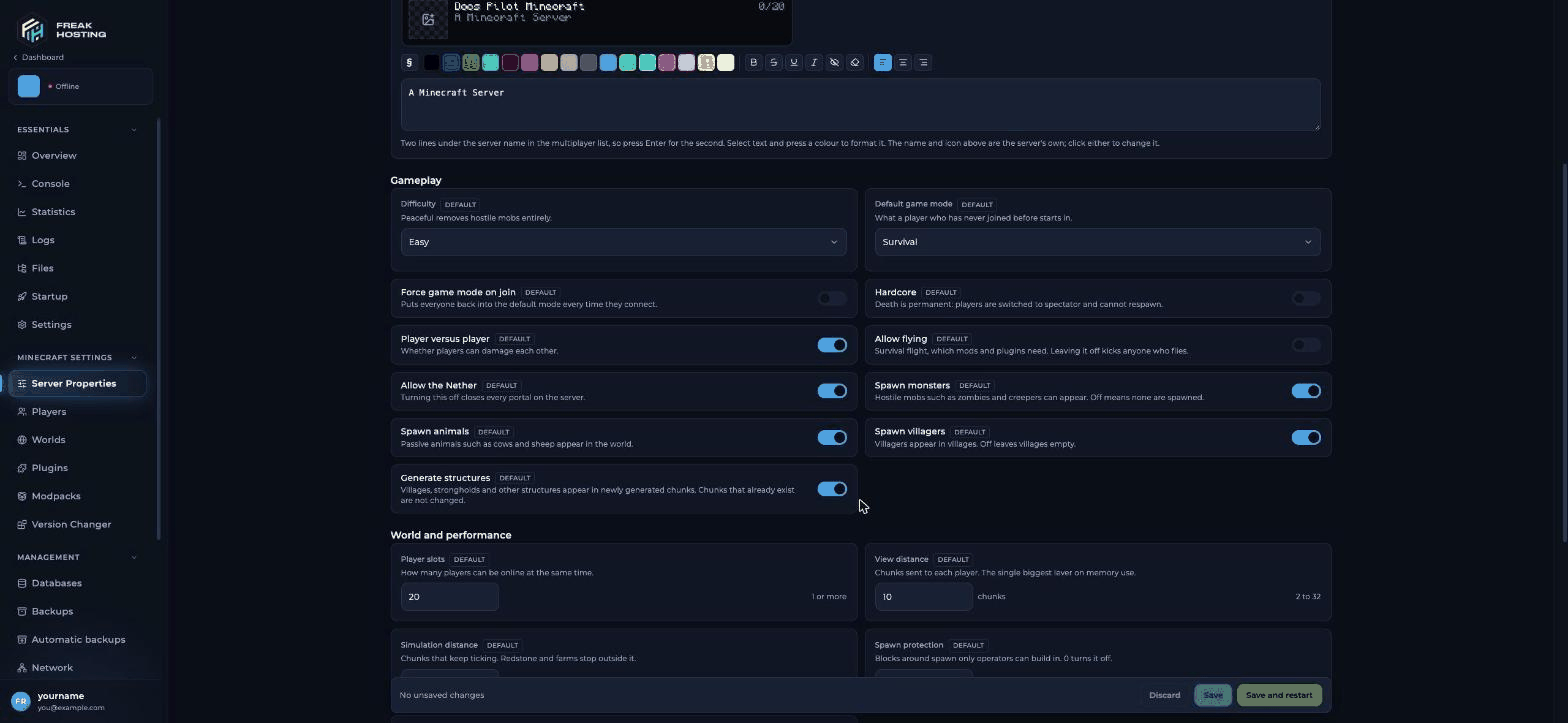
Gameplay settings
Which settings changed in newer Minecraft versions?
On these versions, change these settings with the game rule instead of the switch on the Server Properties page, for example
gamerule pvp false in the console. See the gamerules list.
Settings you change in the file
These keys aren’t on the Server Properties page. Stop the server, openserver.properties in Files, edit, click Save Content and start the server.
Example
server.properties lines:
Frequently asked questions
Where is server.properties on my server?
In the main folder (/home/container). Open Files and click server.properties.
Do I need to restart after changing server.properties?
Yes. Changes apply the next time the server starts. On the Server Properties page, Save and restart does both.Why did my change disappear?
The server was running when you edited the file and wrote its own copy when it stopped. Stop the server, edit again and start it.Can I change the server port?
No. Your port is assigned to your server and set by the panel. For an extra port (for example for a web map), open a ticket.How do I turn off PvP on a new Minecraft version?
On Minecraft 1.21.9 and newer, PvP is a game rule, not aserver.properties key. On these versions, change PvP with gamerule pvp false (or true) in the console instead of the Player versus player switch. The same applies to the Nether, command blocks and monster spawning: use the game rules listed above.
Related guides
Minecraft server guide
Every Minecraft guide in one place.
Gamerules list
Settings that live in the world.
Server commands
Change settings from the console.
Custom world seed
Set level-seed for a new world.
Fix server lag
The right view and simulation distance.
Reviewed by the FREAKHOSTING team on 29 October 2026. Game Panel steps were checked on our panel (Minecraft 26.1, Paper and Fabric). Version changes checked against the official Minecraft release notes; game and plugin details follow their official documentation. Steps may differ slightly if the game change.
Need Extra Help?
If you encounter any issues, our support team is ready to assist:- Live Chat: Quick assistance via our website.
- Support Ticket: Open a Ticket
- Discord: Join our Community
- Email: support@freakhosting.com
Last Updated: October 2026