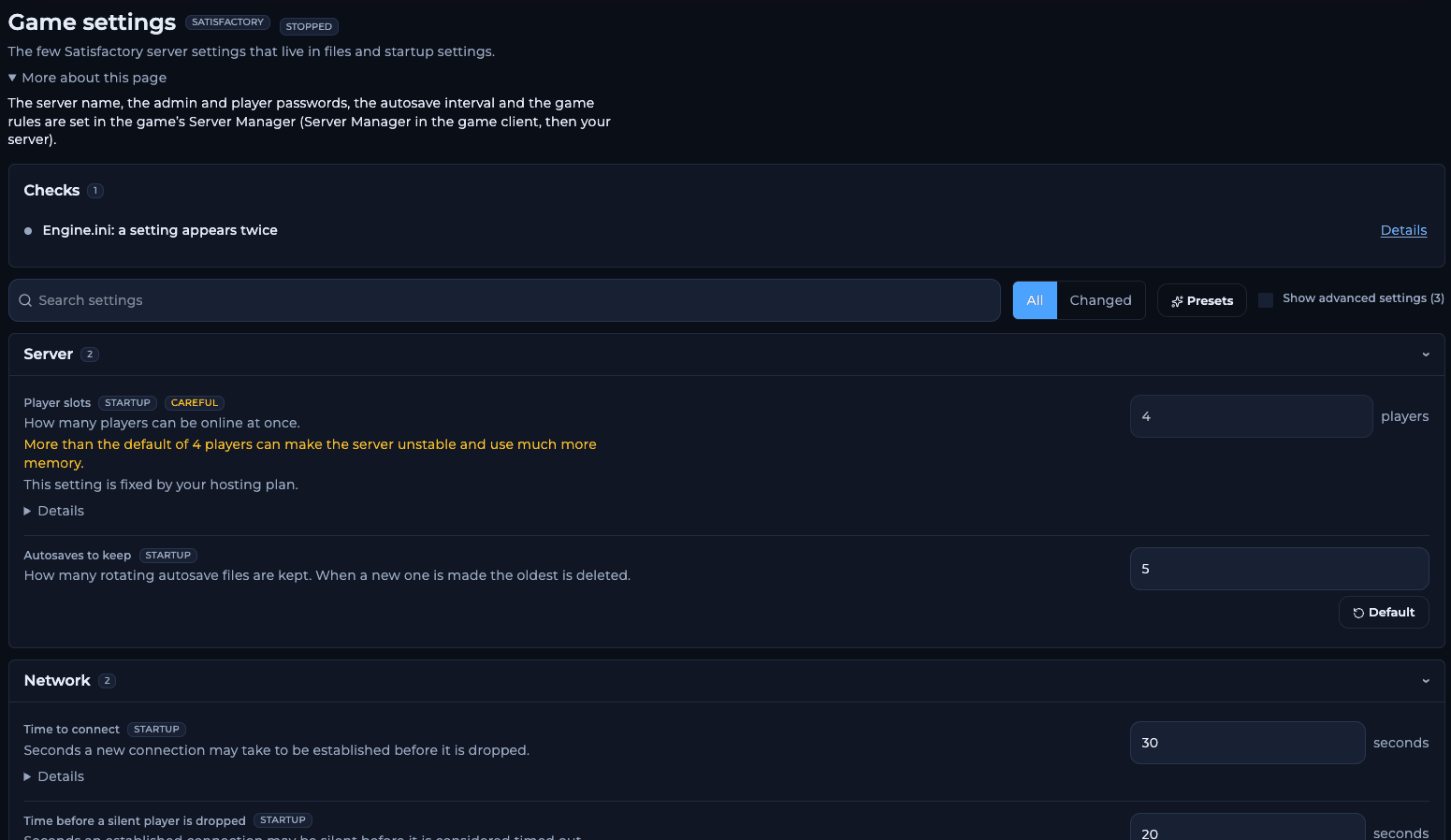
The Game settings page for Satisfactory in the FREAKHOSTING Game Panel
How to change a setting on the Game settings page
1
Open Game settings
Open your server in the Game Panel and click Game settings under GAME SETTINGS. Use Search settings to find a setting, or Changed to see only the ones you changed.
2
Change the value
Edit the setting. Click Show advanced settings to see the three advanced ones.
3
Review and save
Click save. The Review your changes dialog shows each change: startup settings under Startup settings (the Startup page), file settings as an
Engine.ini change. Click Save changes. The old Engine.ini is kept as Engine.ini.bak.4
Restart
Restart the server. The server reads these settings when it starts.
Server settings
Network settings
The two speed settings are standard Unreal Engine network settings that server owners use for Satisfactory. They are not listed on the official Satisfactory pages. See belt stutter and network quality.
Updates and reports
Switching branch needs the server to be updated or reinstalled, and a save from a newer branch cannot be loaded by an older one. See experimental branch.
What do the presets do?
A preset fills in several settings at once. Nothing is saved until you review and save.Settings in the Server Manager
Open Satisfactory, go to Server Manager, select your server and open Server Settings. You need the admin password.Frequently asked questions
Where is the Satisfactory Engine.ini on the server?
InFactoryGame/Saved/Config/LinuxServer/. Use the Engine.ini: open the raw file link at the bottom of Game settings, or open it in Files.
Why is Player slots greyed out?
It’s fixed at 4 by your hosting plan. See max players.How do I change how often the server autosaves?
The interval is Autosave Interval in the Server Manager. The number of files kept is Autosaves to keep in the panel.Do I need to restart after saving?
Yes. Settings from the Startup page andEngine.ini are read when the server starts.
Related guides
Satisfactory server guide
Every Satisfactory page in one place.
Belt stutter and network quality
Internet speed and Network Quality.
Max players
Why the server has 4 slots.
Experimental branch
Switch the server’s game branch.
Startup variables
The settings on the Startup page.
Tested by the FREAKHOSTING team on our Game Panel on 2 November 2026 (Satisfactory 1.2 dedicated server, stable branch). Steps may differ slightly if the game changes.
Need Extra Help?
If you encounter any issues, our support team is ready to assist:- Live Chat: Quick assistance via our website.
- Support Ticket: Open a Ticket
- Discord: Join our Community
- Email: support@freakhosting.com
Last Updated: November 2026