Mordhau/Saved/Config/LinuxServer/Game.ini in Files and edit the MapRotation= lines under [/Script/Mordhau.MordhauGameMode]. Each line is one map in the order it is played, for example MapRotation=SKM_Grad. Click Save Content and start the server. The prefix of each name sets the game mode.
Before you start
- Start the server once, so
Game.iniexists. - The first map after a start comes from DEFAULT_MAP on Startup. The rotation decides the maps after that.
What does the default rotation look like?
Your server starts with a rotation of about 50 lines that mixes Free for All (FFA_), Team Deathmatch (TDM_) and Skirmish (SKM_) maps:
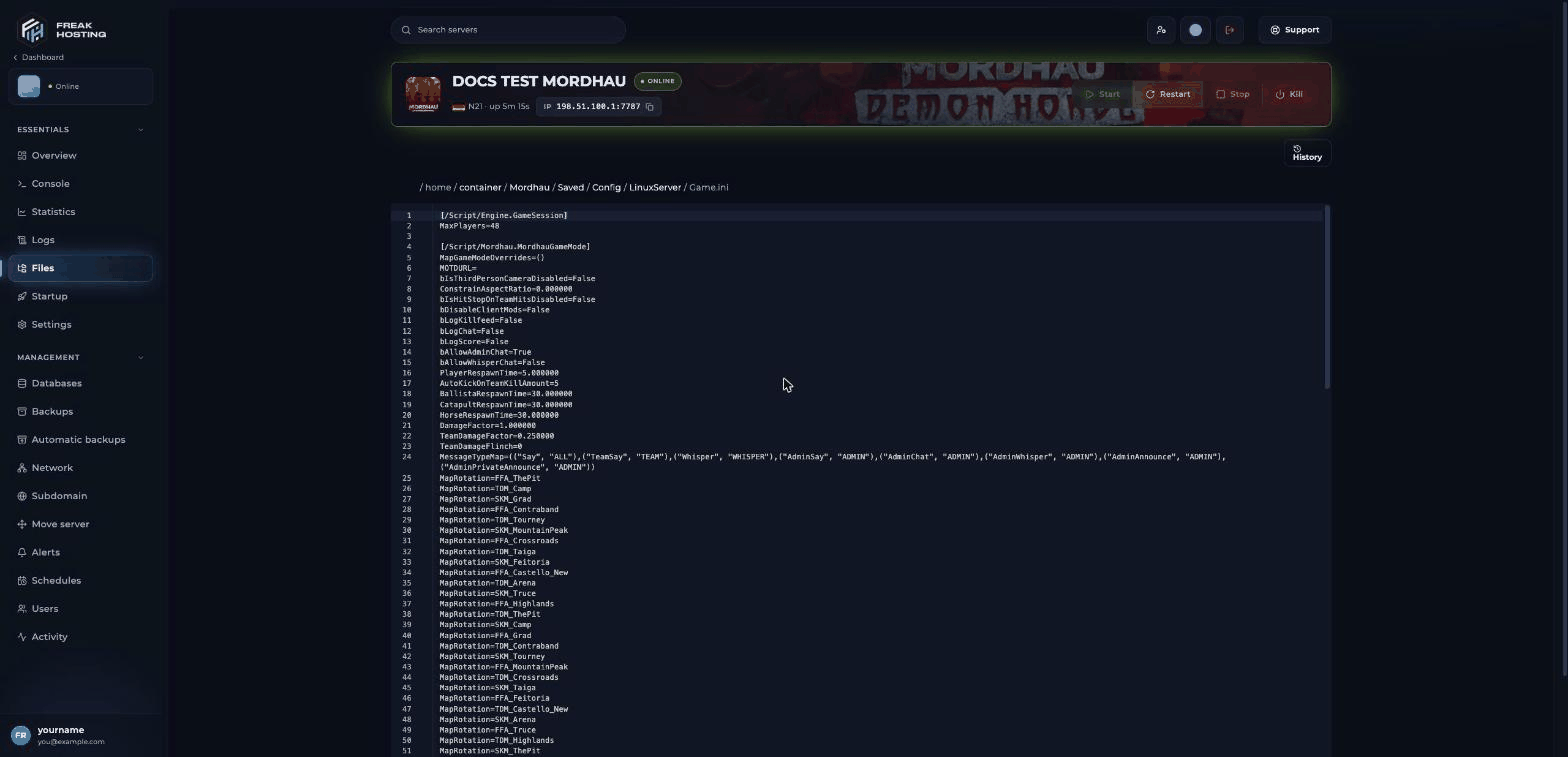
Game.ini in the Game Panel file editor, with the map rotation at the bottom
How to edit the map rotation
1
Stop the server
2
Open Game.ini
In Files, open
Mordhau > Saved > Config > LinuxServer > Game.ini.3
Edit the MapRotation lines
Under
[/Script/Mordhau.MordhauGameMode], delete the maps you don’t want, add new MapRotation= lines and put them in the order you want. Each map needs its own line.4
Save and start
Click Save Content and start the server. When a match ends, the next map in the list loads.
Maps in the default rotation
These map names are in the first part of the rotation your server ships with.
Open your own
Game.ini to see the full list. Copy names exactly, including capitals and underscores.
How to change the rotation with RCON
With RCON you can change the rotation while the server runs:Frequently asked questions
Why did my server start on Grad instead of my first rotation map?
The first map comes from DEFAULT_MAP on Startup (defaultGrad/FL_Grad). The rotation takes over after the first match. See game modes.
Can I play only one game mode?
Yes. Keep onlyMapRotation= lines with one prefix, for example only SKM_ maps for Skirmish.
How do I add a custom map to the rotation?
Add the map mod with aMods= line, then add its name as a MapRotation= line. See custom maps.
Related guides
Mordhau server guide
Every Mordhau page in one place.
Game modes
Prefixes and the first map.
Custom maps
Add mod.io maps.
RCON
Change maps remotely.
File Manager
Edit files and restore old versions.
Tested by the FREAKHOSTING team on our Game Panel on 3 November 2026 (Mordhau Release 26 dedicated server). RCON commands checked against the Mordhau Wiki dedicated server guide on 3 November 2026. Steps may differ slightly if the game changes.
Need Extra Help?
If you encounter any issues, our support team is ready to assist:- Live Chat: Quick assistance via our website.
- Support Ticket: Open a Ticket
- Discord: Join our Community
- Email: support@freakhosting.com
Last Updated: November 2026