What does a FREAKHOSTING Minecraft server include?
Every Minecraft server runs Java Edition. Bedrock players can join through GeyserMC. On top of the standard Game Panel tools (console, files, backups, schedules, databases and alerts), your server has a Minecraft settings group in the sidebar: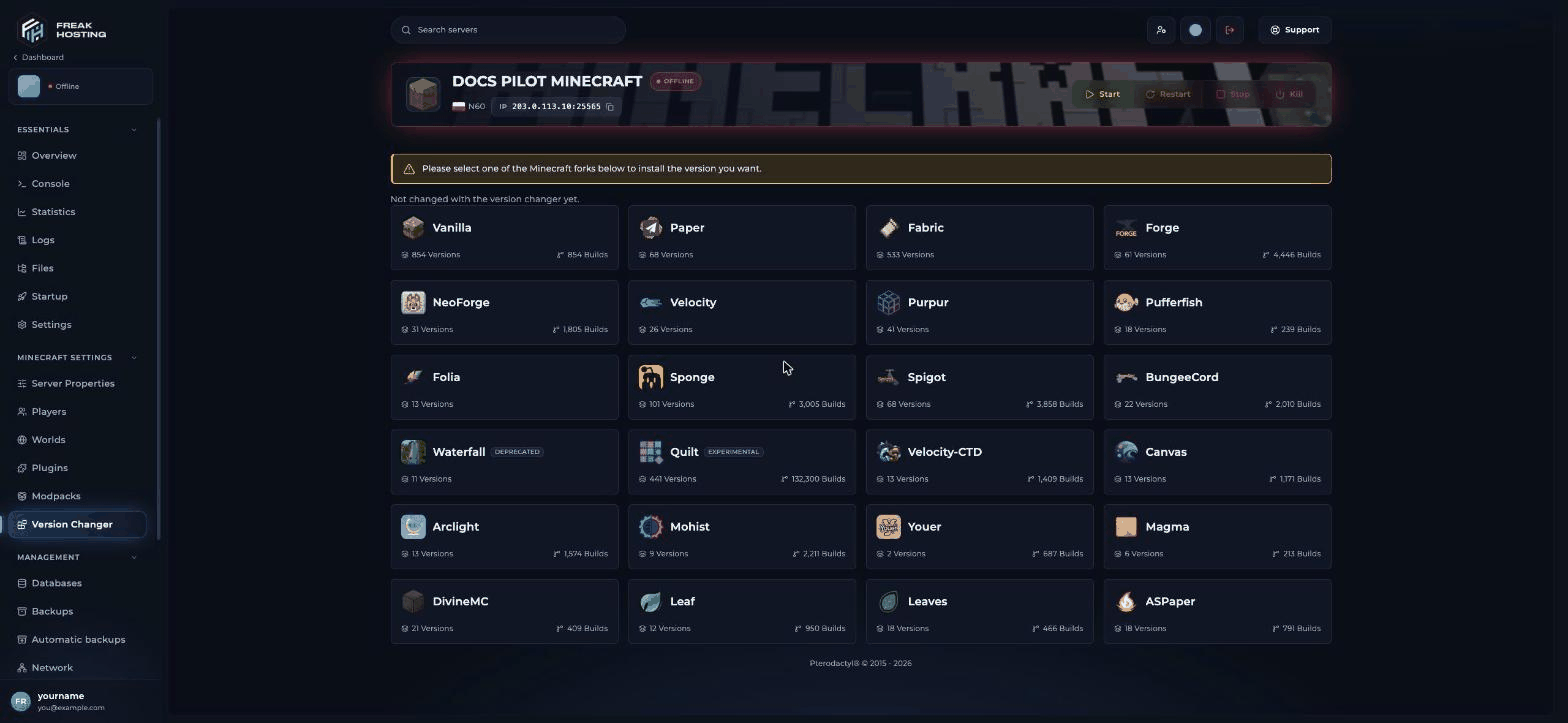
Version Changer lists every server type you can install
Most asked
The eight Minecraft topics people search for most:- Dynmap vs BlueMap: which web map should you use?
- GeyserMC: let Bedrock players join your Java server
- How to use a custom seed on your server
- How much RAM does a modded server need?
- How to add your own world to your server
- How to fix Minecraft server lag
- How to set up a Velocity or BungeeCord proxy network
- bukkit.yml optimisation
Start here
- Minecraft server guide (this page)
- How to set up a Minecraft server: version, EULA, first start, joining, op and first backup.
Game Panel guides
- How to install Paper
- How to change your Minecraft server version
- How to install a modpack
- How to install plugins
- How to install mods
- How to add your own world
- How to install a map or world from CurseForge
- How to reset your world
- How to give and remove op
- How to set up a whitelist
- How to ban players
- How to change the MOTD
- How to add a server icon
- How to allow non-premium (cracked) players
- How to enable command blocks
- How to use a custom world seed
- How to create a MySQL database for plugins
Guides and tips
- Paper vs Purpur vs Fabric vs Forge: which server type?
- How much RAM does a modded server need?
- Best Minecraft server plugins
- Best modpacks for servers
- GeyserMC: Java and Bedrock crossplay
- Dynmap vs BlueMap
- How to install Dynmap
- NuVotifier setup
- GriefPrevention setup
- ViaVersion: let other versions join
- Velocity proxy setup
- How to fix Minecraft server lag
- Pre-generate your world with Chunky
- Find lag with the spark profiler
Commands and settings
- server.properties explained
- Minecraft server commands
- Minecraft gamerules list
- bukkit.yml optimisation
- spigot.yml optimisation
- Startup flags (Aikar’s flags) and Java version
Troubleshooting
- You need to agree to the EULA
- Failed to verify username
- Outdated or incompatible client/server
- UnsupportedClassVersionError (wrong Java version)
- Can’t connect to your Minecraft server
- Minecraft server keeps crashing or runs out of memory
Frequently asked questions
Can Bedrock players join my Minecraft server?
Yes. Your server runs Java Edition, and Bedrock players on phones, tablets and Windows can join through the free Geyser and Floodgate plugins on a Paper server. See GeyserMC.Which server type should I pick?
Paper for plugins, Fabric or NeoForge for mods, a modpack from the Modpacks page for a ready-made modded game, and Velocity to link several servers. See Paper vs Purpur vs Fabric vs Forge.Which Minecraft versions can I run?
Version Changer offers releases up to the newest, including the year-based versions such as 26.1 that follow 1.21.11, and older releases. See change your server version.Where do I see why my server stopped?
Open Logs in the sidebar. It reads the files in the main folder,logs and crash-reports. See server crashing.
Related guides
Set up your Minecraft server
First start, EULA, joining and your first backup.
Sign in to the Game Panel
Find your server and get around the panel.
Install plugins
Add plugins from Modrinth, Hangar, SpigotMC or CurseForge.
Create and restore backups
Undo a mistake in minutes.
Tested by the FREAKHOSTING team on our Game Panel on 29 October 2026 (Minecraft 26.1, Paper and Fabric). Steps may differ slightly if the game or its plugins change.
Need Extra Help?
If you encounter any issues, our support team is ready to assist:- Live Chat: Quick assistance via our website.
- Support Ticket: Open a Ticket
- Discord: Join our Community
- Email: support@freakhosting.com
Last Updated: October 2026