Before you start
- Run a mod loader. The Mods page only appears when your server runs Fabric, Forge, NeoForge or Quilt. On Paper you see Plugins instead. Change it in Version Changer.
- Want a whole pack? Use Modpacks. It installs the loader and every mod for you.
- Make a backup: Backups > Create backup.
Rules to know before you install mods
Open Before you install mods at the top of the Mods page for the full rules. In short: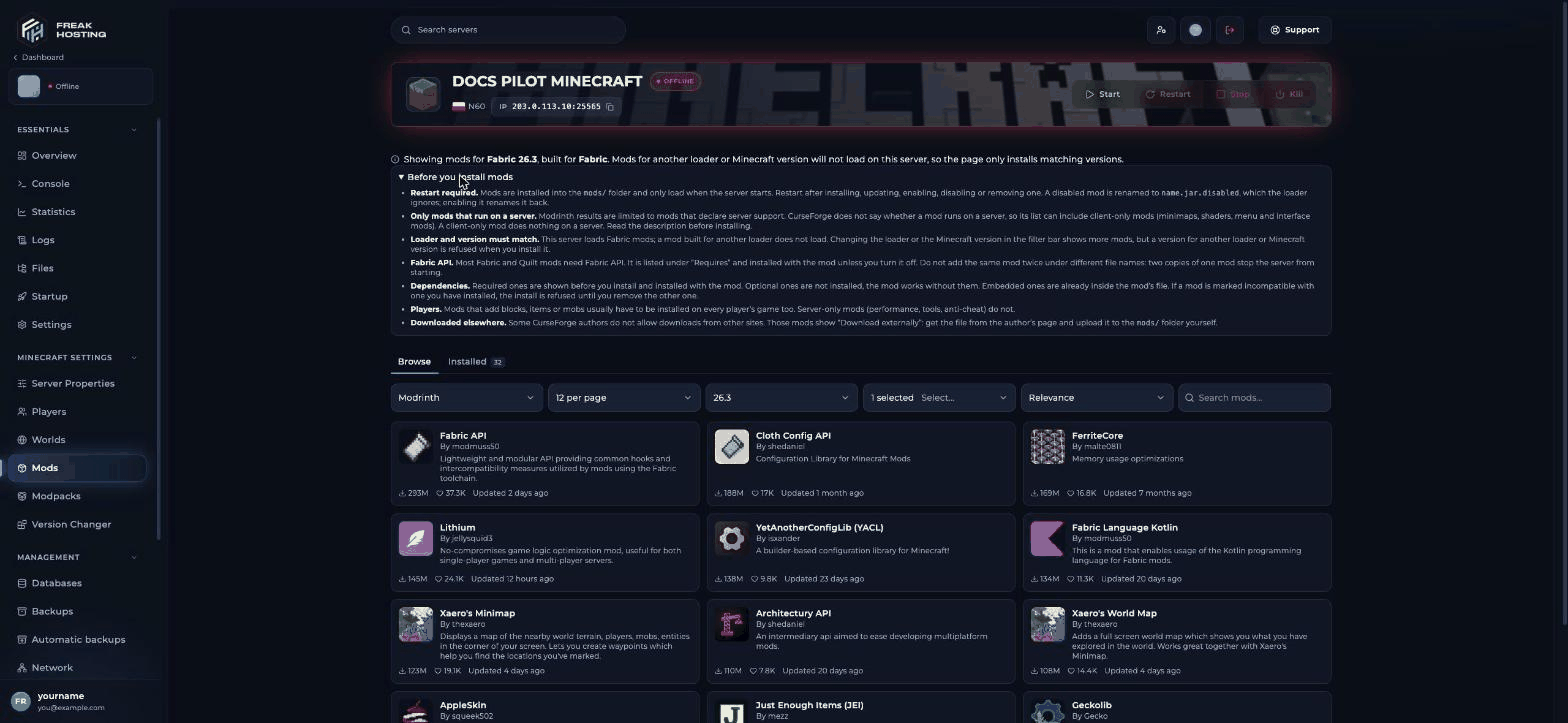
Before you install mods
How to install a mod
1
Open Mods
Open your server in the Game Panel and click Mods in the sidebar. The header shows the loader and version, for example Showing mods for Fabric 26.3.
2
Search
Choose a Source, type in the search box and adjust the Minecraft version, loader and sort filters if needed.
3
Install a version
Click a mod and click Install next to a version. Dependencies are added for you.
4
Restart the server
Click Restart. Check the Console for errors while the server starts.
How to disable, update or remove mods
Click the Installed tab. It shows how many mods you have and how many updates are available.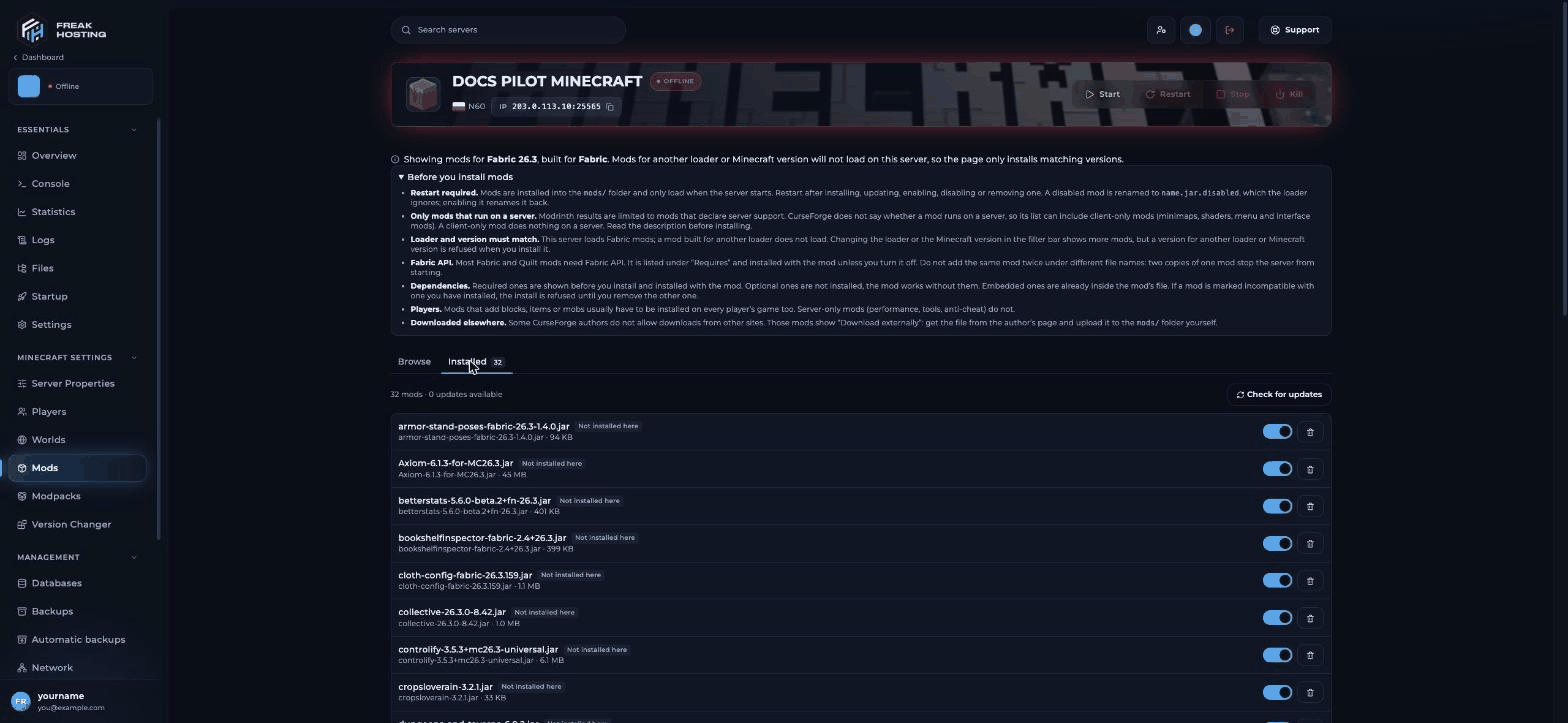
Installed mods
- Check for updates looks for newer versions.
- The toggle disables a mod without deleting it. The file is renamed to
name.jar.disabled. - The bin icon deletes the mod.
Client mods vs server mods: what’s the difference?
A client-only mod on the server usually stops it from starting. Remove it from
mods/ if the console names it in a crash.
Frequently asked questions
Can I use mods and plugins together?
Not on Paper or Fabric. Hybrid server types such as Arclight, Mohist, Youer and Magma run both, but compatibility problems are more common. Choose one if you can.Why isn’t a mod on the Mods page?
The page only shows versions for your loader and Minecraft version. Try another Source, or check the mod exists for your loader and version.Do I need Fabric API on the server?
Yes, if your Fabric mods need it, which most do. The Mods page adds it for you when a mod requires it.How do players get the same mods?
Share your mod list, or turn it into a modpack with the CurseForge app, the Modrinth App or Prism Launcher.Related guides
Minecraft server guide
Every Minecraft guide in one place.
Install a modpack
One-click modpacks.
Paper vs Fabric vs Forge
Choose a mod loader.
RAM for modded servers
How much memory mods need.
Server crashing
Fix a crash after adding a mod.
Tested by the FREAKHOSTING team on our Game Panel on 29 October 2026 (Minecraft 26.1, Paper and Fabric). Steps may differ slightly if the game or its plugins change.
Need Extra Help?
If you encounter any issues, our support team is ready to assist:- Live Chat: Quick assistance via our website.
- Support Ticket: Open a Ticket
- Discord: Join our Community
- Email: support@freakhosting.com
Last Updated: October 2026