server.properties in Files and change level-name to a folder name that doesn’t exist yet, for example world_new. Start the server and it generates a fresh world. Your old world stays in its own folder, so you can switch back on the Worlds page.
Before you start
- Make a backup: click Backups > Create backup and name it, for example, “Before world reset”. See how to create and restore backups.
- Want a specific world? Set a seed at the same time. See how to use a custom world seed.
How to reset your world and keep the old one
1
Stop the server
Open your server in the Game Panel and click Stop.
2
Open server.properties
Click Files and click
server.properties in the main folder.3
Change level-name
Find the Click Save Content.
level-name line and change it to a new folder name:4
Start the server
Click Start. The server can’t find a world with that name, so it creates a new one. This can take a minute on the first start.
world). On Paper, its Nether and End stay in world_nether and world_the_end.
How to switch back to the old world
Click Worlds, open the Installed tab and click Set active on the old world. Restart the server.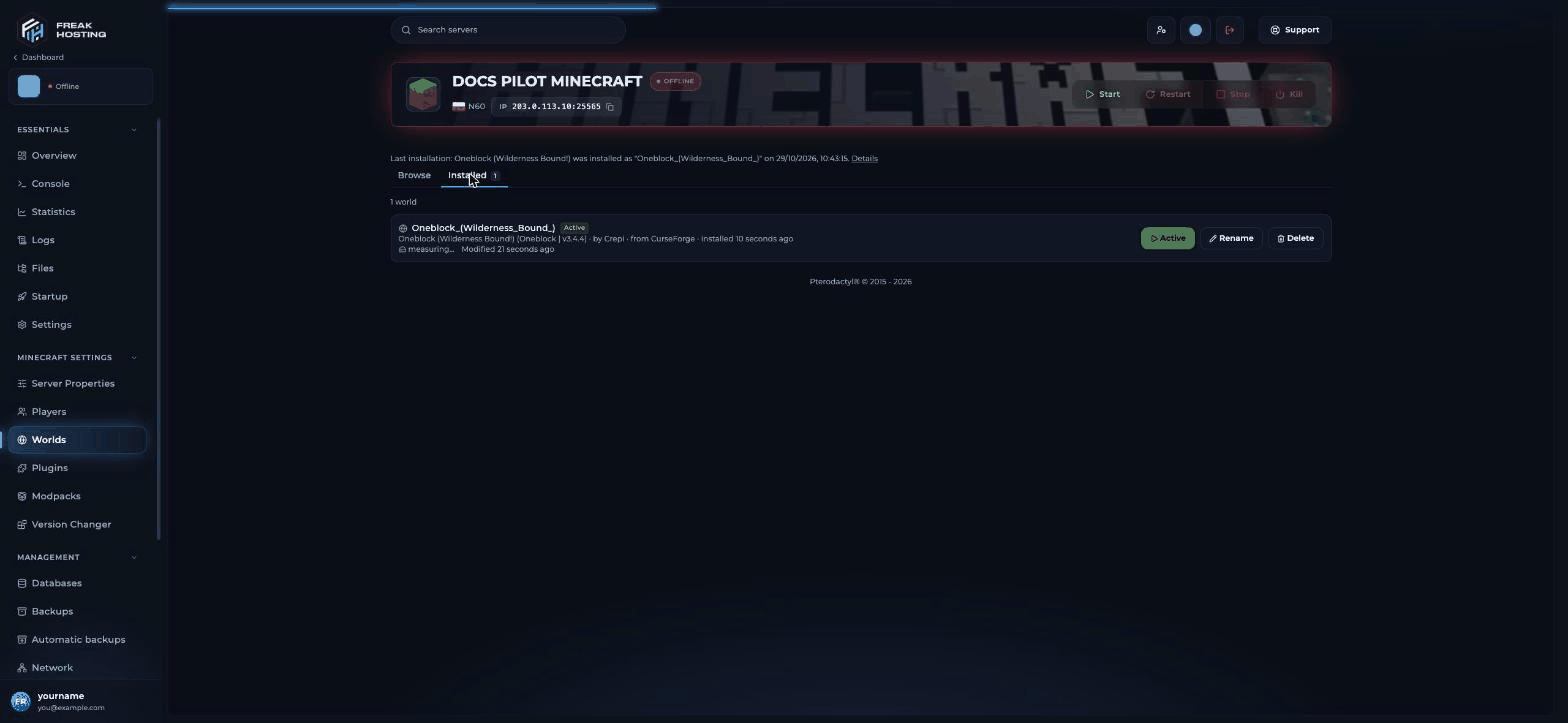
Switch between worlds
How to delete the old world for good
When you are sure you don’t need the old world, delete it to free disk space:- On Worlds > Installed, click Delete on the old world, or
- In Files, tick the old world folder and click Delete. On Paper, also delete its
_netherand_the_endfolders.
Can I reset only the Nether or the End?
Yes. Stop the server and delete only that dimension’s folder:
Start the server and the dimension is generated again. Make a backup first, because builds in that dimension are lost.
Frequently asked questions
Does resetting the world remove my plugins and settings?
No. Only the world changes. Plugins, mods,server.properties, operators and the whitelist stay as they are.
Do players keep their inventory after a reset?
Player data is stored inside the world folder, so in the new world players start with empty inventories. Their data stays in the old world.Can I reset to a fresh copy of a downloaded map?
Yes. Install the map again from the Worlds page. It goes into a new folder and can become the active world straight away. See how to install a Minecraft map.Related guides
Minecraft server guide
Every Minecraft guide in one place.
Custom world seed
Pick the seed for your new world.
Install a map or world
One-click maps from CurseForge.
Upload your own world
Use a single-player world instead.
Pre-generate with Chunky
Reduce lag in a new world.
Tested by the FREAKHOSTING team on our Game Panel on 29 October 2026 (Minecraft 26.1, Paper and Fabric). Steps may differ slightly if the game or its plugins change.
Need Extra Help?
If you encounter any issues, our support team is ready to assist:- Live Chat: Quick assistance via our website.
- Support Ticket: Open a Ticket
- Discord: Join our Community
- Email: support@freakhosting.com
Last Updated: October 2026