/garrysmod/cfg/server.cfg (name, password, sandbox rules and spawn limits). You change a field, review the exact lines that change, and save. The old file is kept as server.cfg.bak, and changes apply when the server starts.
How to change a setting
1
Open Game settings
Open your server and click Game settings under GAME SETTINGS.
2
Find the setting
Type in Search settings, or switch from All to Changed to see only what differs. Click Show advanced settings to show the 8 advanced fields.
3
Change it and save
Edit the field and save. A review dialog shows each line of
server.cfg that changes and says “The old server.cfg is kept as server.cfg.bak.” Click Save changes.4
Restart the server
Restart the server so the new values load.
// Add custom lines under here.
What do the presets do?
Presets fill in several settings at once. Nothing is saved until you review and save.Start-up settings
These are the server’s startup settings. They apply when it starts.
The same values are on the Startup page as Map, Gamemode, Workshop ID, Max Players, Tickrate, Lua Refresh and Steam Account Token. See startup variables.
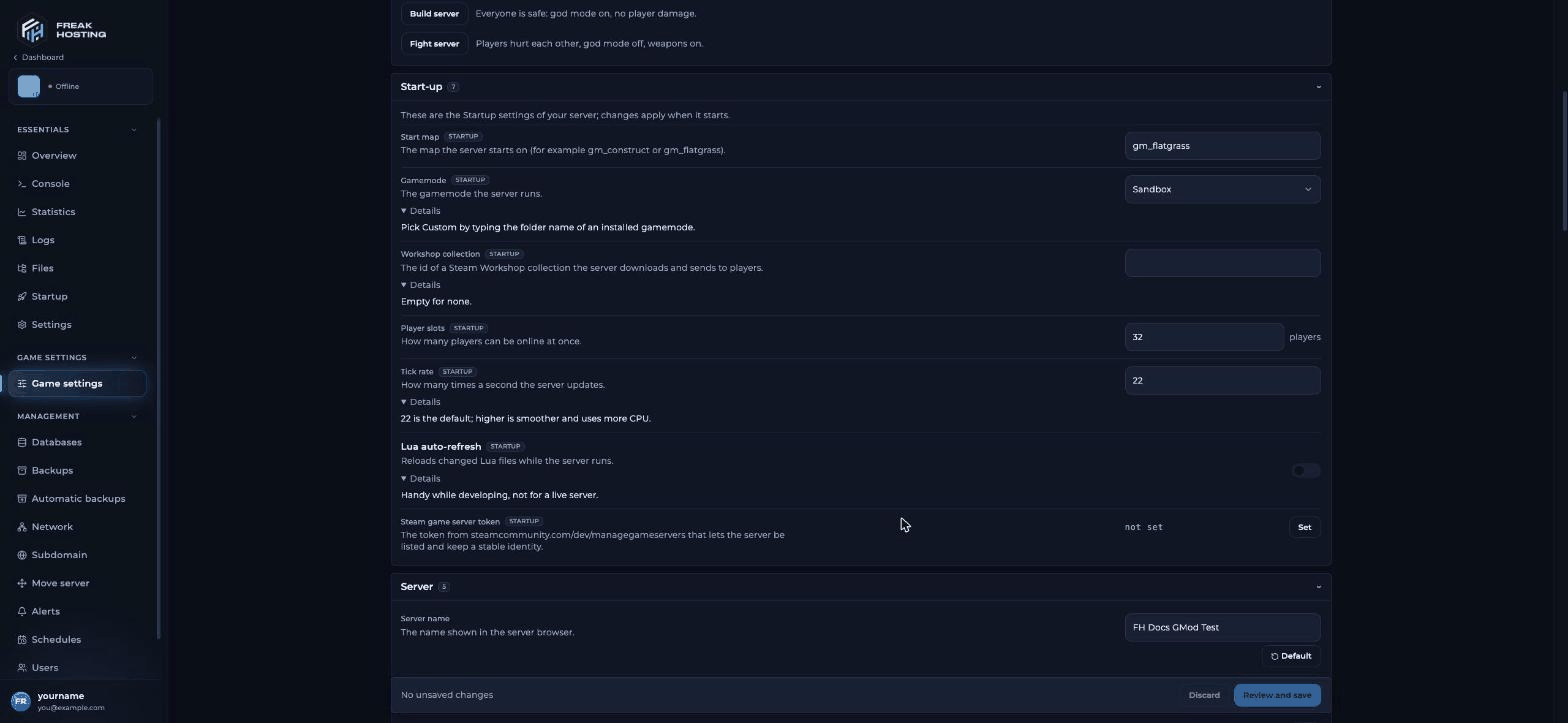
Start-up settings for a Garry's Mod server
Server, security and chat settings
Keep Fast download address as it is. If you change it, the Default button puts our address back. See FastDL for GMod.
Sandbox rules
These apply to Sandbox and gamemodes built on it, such as DarkRP. Other gamemodes may ignore them.Limits per player
Each limit is the most one player can spawn of that kind. Low numbers keep the server fast. Our values are lower than the game’s own defaults for most items; the Default button sets a field back to our value.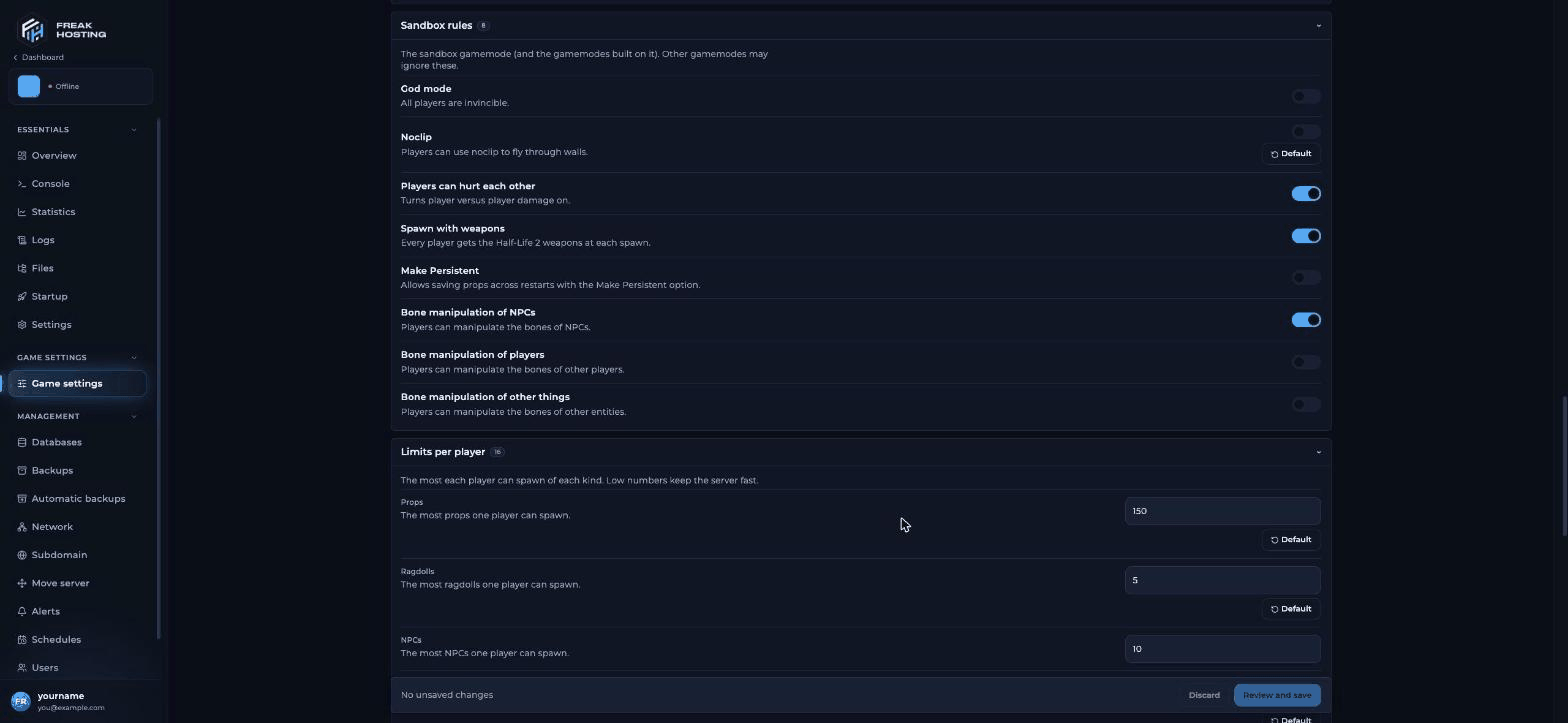
Sandbox limits per player on the Game settings page
Frequently asked questions
Where is server.cfg on my GMod server?
/garrysmod/cfg/server.cfg. Open it from Game settings with server.cfg: open the raw file, or in the File Manager.
How do I check that a setting is active?
Type its console name in the panel console, for examplesbox_maxprops. The server prints the current value and the game default, such as "sbox_maxprops" = "150" ( def. "200" ).
Can I undo a change?
Yes. Each save keeps the previous file asserver.cfg.bak. Rename or copy it back in the File Manager, or use Default on a single field.
What are the 8 advanced settings?
Click Show advanced settings to show them. They are hidden by default because most servers don’t need to change them.Related guides
Garry's Mod server guide
Every Garry’s Mod page in one place.
Getting started
Set up and join your server.
Physics and server.cfg
gmod_physiterations and other lines.
Server lag
Keep the server fast.
Startup variables
The Startup page.
Tested by the FREAKHOSTING team on our Game Panel on 31 October 2026 (Garry’s Mod dedicated server, Sandbox). Steps may differ slightly if the game changes.
Need Extra Help?
If you encounter any issues, our support team is ready to assist:- Live Chat: Quick assistance via our website.
- Support Ticket: Open a Ticket
- Discord: Join our Community
- Email: support@freakhosting.com
Last Updated: October 2026