Mordhau/Saved/Config/LinuxServer/Game.ini. Open it with Files in the Game Panel. It is created at the first start and has three sections: [/Script/Engine.GameSession], [/Script/Mordhau.MordhauGameMode] (rules, damage, map rotation) and [/Script/Mordhau.MordhauGameSession] (name, passwords, admins, bans, mods, RCON). The panel writes the name, passwords and slots from Startup at every start.
Which settings does the panel control?
Change these on Startup, not in the file. The panel replaces them every time the server starts.
All other lines stay as you set them, including
Admins=, Mods= and MapRotation= lines.
How to edit Game.ini safely
1
Stop the server
Stop the server so nothing writes the file while you edit it.
2
Open the file
In Files, open
Mordhau > Saved > Config > LinuxServer > Game.ini.3
Change only values
Change the text after
=. Keep section names in square brackets exactly as they are.4
Save and start
Click Save Content and start the server. If something goes wrong, click History in the editor and restore the earlier version.
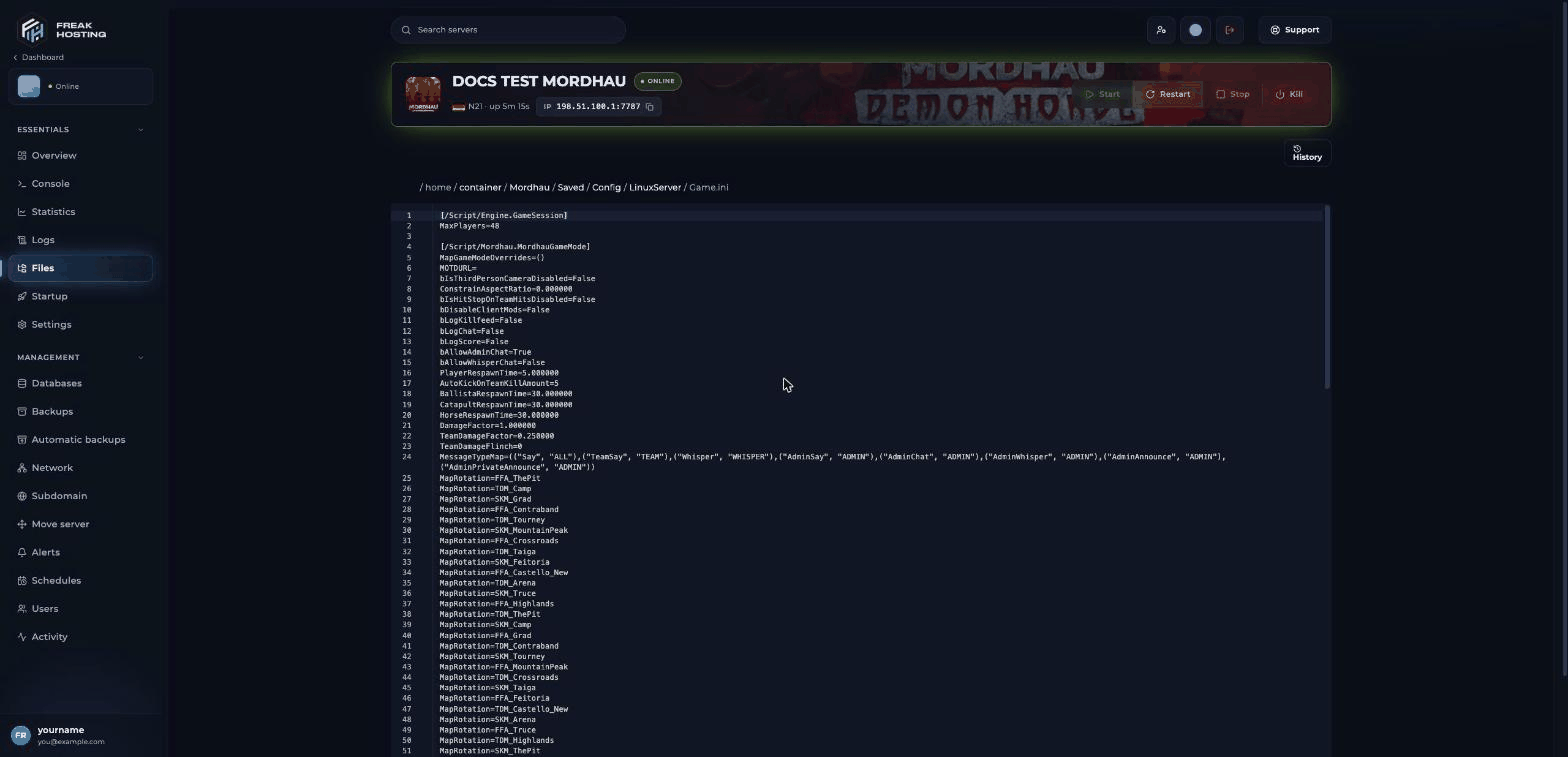
Game.ini open in the Game Panel file editor
[/Script/Engine.GameSession]
[/Script/Mordhau.MordhauGameMode]
More about these on camera, damage and respawn.
[/Script/Mordhau.MordhauGameSession]
The section also has webhook keys such as
AdminActionWebhookURL and ChatFeedWebhookURL, which are empty by default.
What is in Engine.ini?
Engine.ini sits in the same folder. On your server it is short, and the panel doesn’t write to it. The setting most people change here is the tick rate:
.ini files in the folder are almost empty placeholders; you don’t need to change them.
Frequently asked questions
Why can’t I find Game.ini?
It is created the first time the server starts. Start the server once, wait until the console showsSession GameSession successfully created, then look again.
Why did my change in Game.ini disappear?
If it was the server name, a password or the player slots, the panel rewrote it from Startup. Change those on Startup. For other keys, edit with the server stopped.Is there a game settings page for Mordhau in the panel?
No. Mordhau has Startup for the basics and Files for everything else.Related guides
Mordhau server guide
Every Mordhau page in one place.
Camera, damage, respawn
Combat settings in detail.
Tick rate and max players
Engine.ini and slots.
Map rotation
MapRotation lines.
File Manager
Edit files and restore versions.
Tested by the FREAKHOSTING team on our Game Panel on 3 November 2026 (Mordhau Release 26 dedicated server; keys and defaults read from the server’s own
Game.ini). Steps may differ slightly if the game changes.Need Extra Help?
If you encounter any issues, our support team is ready to assist:- Live Chat: Quick assistance via our website.
- Support Ticket: Open a Ticket
- Discord: Join our Community
- Email: support@freakhosting.com
Last Updated: November 2026