Method 1: install a modpack from the Mods page
1
Back up first
Make a backup. A modpack adds many mods at once.
2
Find the pack
Open Mods under VALHEIM and search for the pack’s name in Search Valheim mods. If it isn’t listed, use Method 2.
3
Install
Click Install. The dialog lists every mod in the pack as a dependency. Click Install.
4
Restart
Click Done and restart the server.
Method 2: the ModPack Startup variable
The panel describes ModPack as: “Enter the Dependency String name for a ModPack to automatically be installed. NOTE: If the modpack Updates, you will need to update this variable with the new Dependency String… CHANGING THIS REQUIRES A SERVER REINSTALL”.1
Copy the dependency string
On the pack’s Thunderstore page, copy its dependency string. It has the form
Author-PackName-1.2.3.2
Set the variable
Open Startup and paste the string into ModPack. See startup variables.
3
Back up and reinstall
Make a backup, then reinstall the server.
4
Start and check
Start the server and check the console for loaded mods.
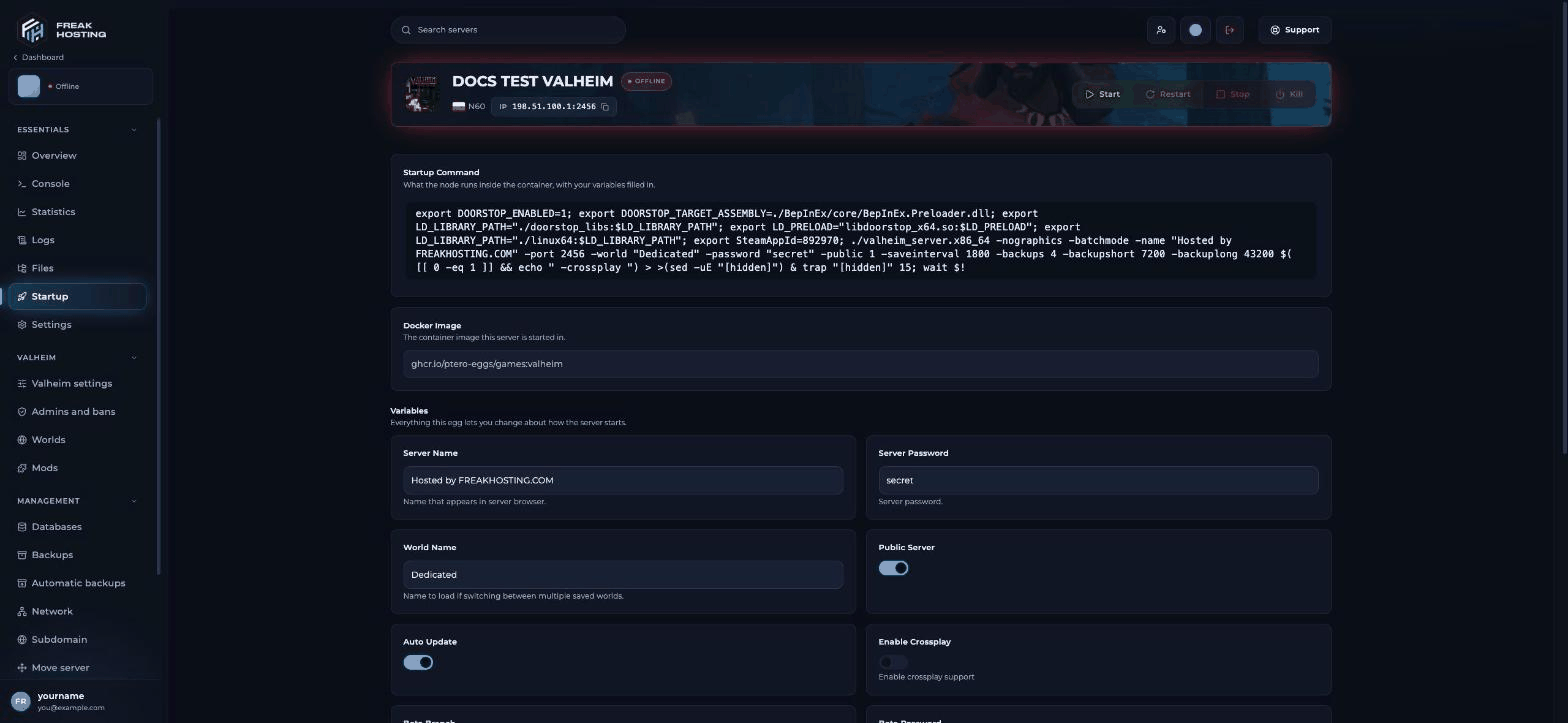
Valheim Startup variables, including ModPack
How players install the same modpack
Players need the same pack and version on their PC:- Install a Thunderstore mod manager such as r2modman.
- Search for the same modpack and install the same version into a profile.
- Start Valheim from the mod manager and join the server.
Frequently asked questions
What is a Thunderstore dependency string?
The pack’s ID and version, likeAuthor-PackName-1.2.3. It is shown on the pack’s Thunderstore page.
Will reinstalling delete my world?
Make a backup first, always. Check server settings and reinstall for what a reinstall keeps.How do I remove a modpack?
Switch off or delete its mods on Mods and restart. If you used the variable, clear ModPack as well.Related guides
Valheim server guide
Every Valheim page in one place.
Install mods
Single mods from Thunderstore.
BepInEx configuration
Config, logs and turning mods off.
Incompatible version
Mod version mismatches.
Tested by the FREAKHOSTING team on our Game Panel on 30 October 2026 (Valheim dedicated server with BepInEx). Steps may differ slightly if the game changes.
Need Extra Help?
If you encounter any issues, our support team is ready to assist:- Live Chat: Quick assistance via our website.
- Support Ticket: Open a Ticket
- Discord: Join our Community
- Email: support@freakhosting.com
Last Updated: October 2026