MAX_PLAYERS startup variable (1–32) and you can’t change it in the panel. If you need a different number of slots, open a ticket. Guild size (Players per guild, up to 100) and base limits you change yourself in Palworld settings > Bases and guilds.
Can you increase the player count in Palworld past 32?
No. Palworld’s dedicated server supports up to 32 players, and the panel allows 1–32 slots. Server-side mod loaders such as UE4SS don’t run on our Linux Palworld servers, so there is no way past 32 on them.How to change the number of player slots
Player slots shows in Palworld settings > Your server with the note “Set by your host (startup variable MAX_PLAYERS); it cannot be changed here.” If you need a different number of slots, open a ticket and tell us the number you want (up to 32).How to increase guild size and base limits
1
Open Palworld settings
Open your server in the Game Panel and click Palworld settings under PALWORLD.
2
Change the limits
In Bases and guilds, change Players per guild, Bases per guild, Pals working per base or Bases on the server.
3
Review and save
Click Review and save, then Save changes.
4
Restart the server
Restart the server to apply the new limits.
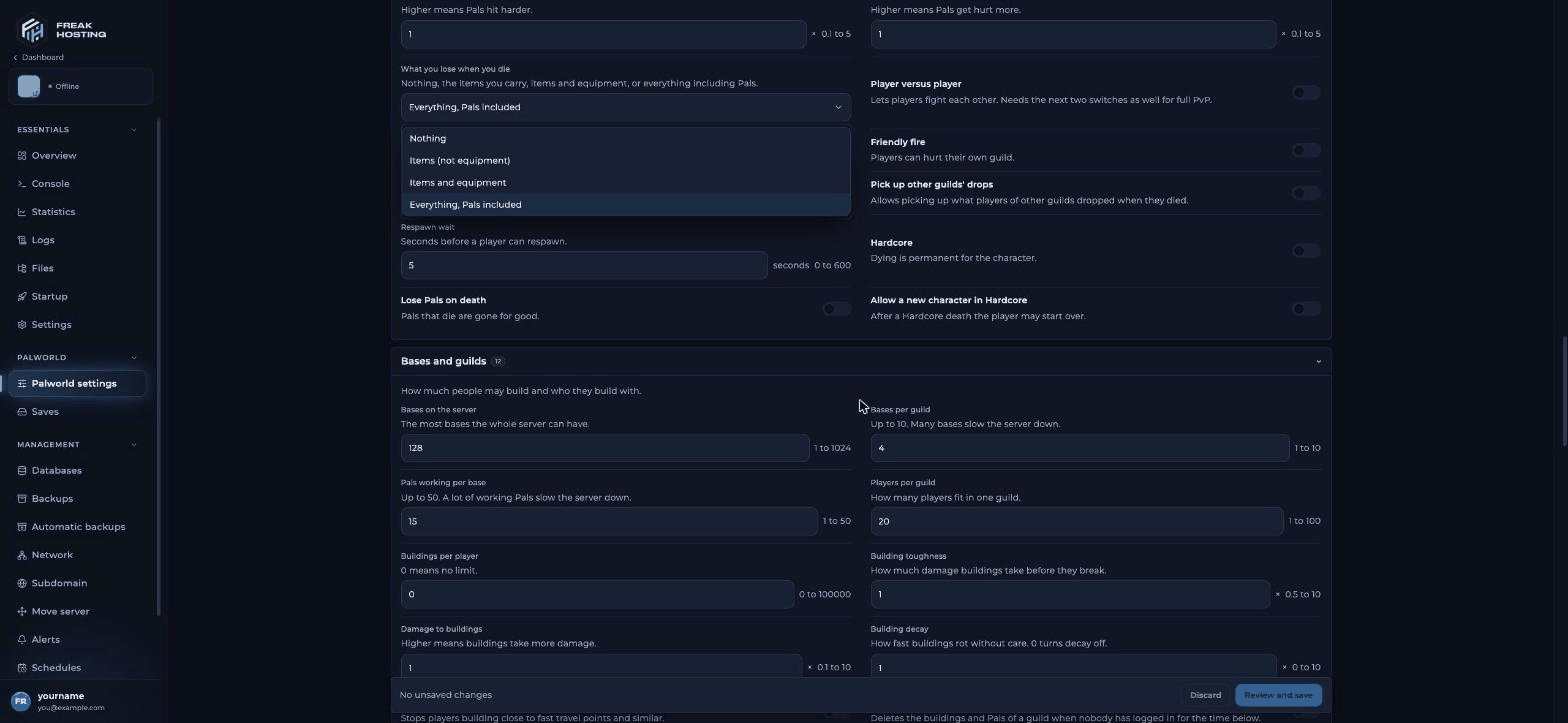
Guild and base limits in the Bases and guilds section
How much RAM do 32 players need?
Palworld uses a lot of memory, and more with every player and every base. The panel’s Checks advise about 32 GB for 32 players. With fewer slots or fewer Pals per base, the server is steadier. More Pals per base and more bases mean more work for the server, so raise Pals working per base in small steps. See memory and restarts.Frequently asked questions
What is the max player count in Palworld?
32 players on a dedicated server. Our panel allows 1–32 slots.How do I increase party size in Palworld?
There is no party size setting. A guild is the group players share bases with: raise Players per guild (1–100, default 20).Why can’t I edit Player slots?
Slots are set from theMAX_PLAYERS startup variable by us. If you need a different number of slots, open a ticket.
Does PalGuard raise the player limit?
No. PalGuard (now PalDefender) is an anti-cheat for Windows servers only. See PalGuard.Related guides
Palworld server guide
Every Palworld page in one place.
Memory and restarts
Keep a full server stable.
Base decay
Decay and abandoned guilds.
Server settings explained
Every setting and its ini key.
Startup variables
What the Startup page shows.
Tested by the FREAKHOSTING team on our Game Panel on 30 October 2026 (Palworld dedicated server on our Game Panel). Steps may differ slightly if the game changes.
Need Extra Help?
If you encounter any issues, our support team is ready to assist:- Live Chat: Quick assistance via our website.
- Support Ticket: Open a Ticket
- Discord: Join our Community
- Email: support@freakhosting.com
Last Updated: October 2026