Difficulty
Beginner
Time
3 minutes
Open Statistics
Open your server from the dashboard, then click Statistics in the sidebar.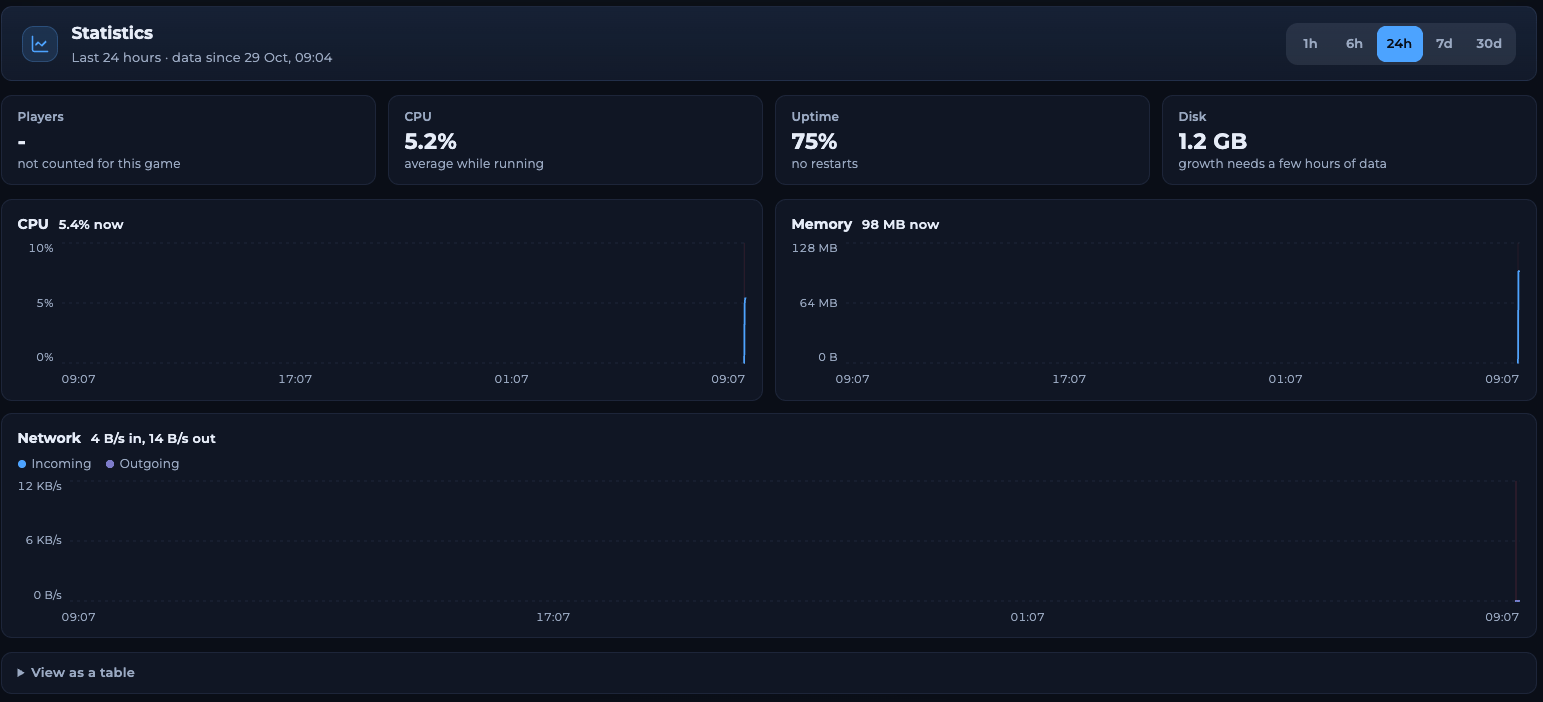
The Statistics page
Choose a time range
Click 1h, 6h, 24h, 7d or 30d at the top right. The line under Statistics shows the range and how far back the data goes.A new server only has data from when it was first started, so the charts fill up over time.
The summary tiles
The charts
Click View as a table under the charts to see the same numbers as a table with the columns Time, Online, CPU, Memory, Incoming and Outgoing.
What to look for
Memory keeps climbing until the server restarts
Memory keeps climbing until the server restarts
A plugin, mod or map may be using more and more memory. Restart the server regularly with a schedule, remove plugins you don’t need, or upgrade your plan for more RAM.
CPU is high and players report lag
CPU is high and players report lag
Check the times on the chart. If the CPU is high when many players are online, your server may need more resources. If it is high when nobody is playing, look in the logs for errors.
Related articles
Your server page
See live usage on the Overview page.
Alerts
Get told when memory or disk runs out.
Need Extra Help?
If you encounter any issues, our support team is ready to assist:- Live Chat: Quick assistance via our website.
- Support Ticket: Open a Ticket
- Discord: Join our Community
- Email: support@freakhosting.com
Last Updated: October 2026