normal, hard, hardsurvival, peaceful or custom, set Save Slot to an unused slot such as 0000000002 and restart. The game mode only applies when the server creates a new world, so an existing world keeps its difficulty. With custom you pick each setting yourself in dedicatedserver.cfg.
Before you start
- Make a backup in Backups. See how to create a backup.
- Your current world stays in its save slot. You can switch back to it by setting Save Slot to its number again.
Sons of the Forest game modes
How to change the difficulty on your server
1
Open Startup
Open your server and click Startup.
2
Pick a Gamemode
Choose a value in the Gamemode drop-down. The field saves when you click away.
3
Choose a new Save Slot
Set Save Slot to a slot you haven’t used yet, for example
0000000002. The server only uses the game mode when it creates a world.4
Restart the server
Restart. The server creates a new world with the new difficulty.
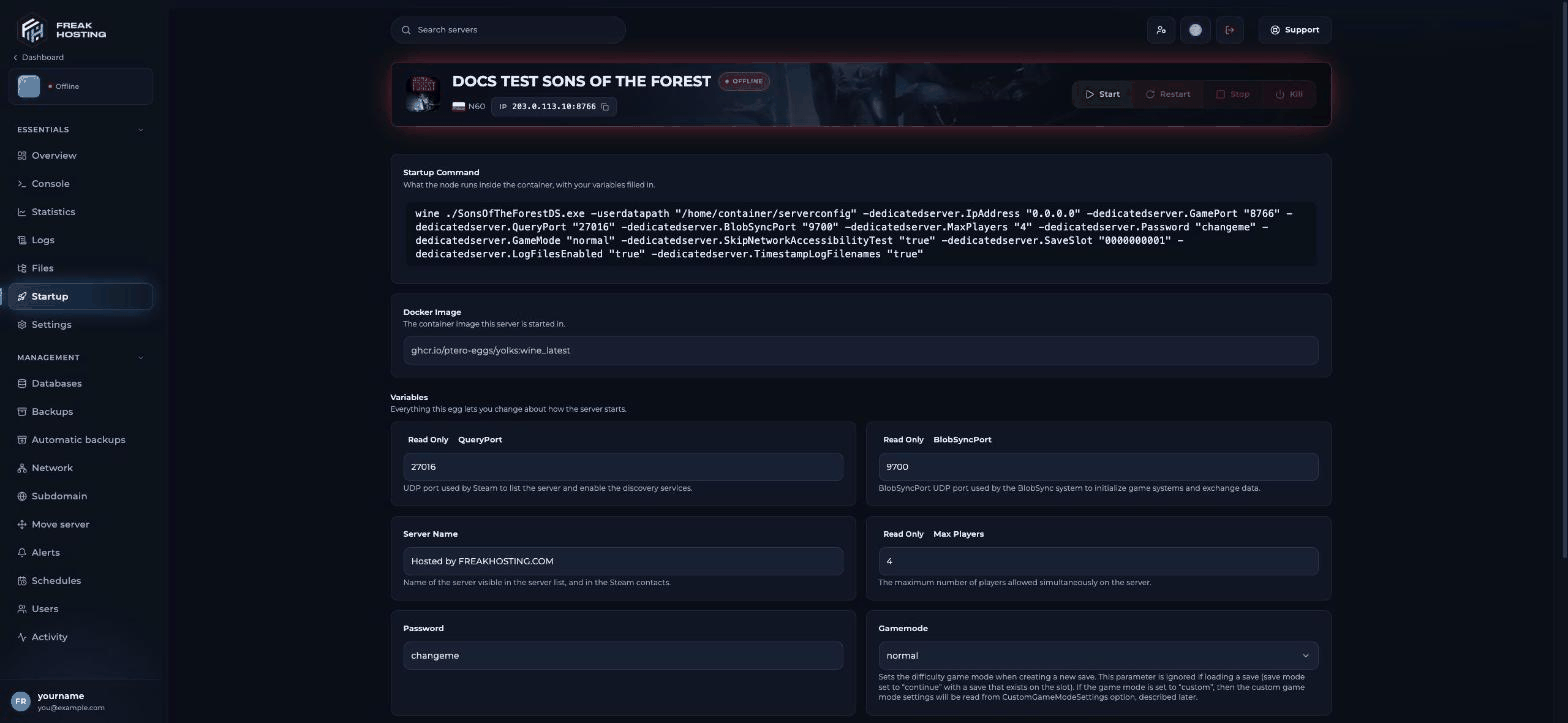
Gamemode and Save Slot on the Startup page
How to use the custom game mode
1
Set Gamemode to custom
On Startup, set Gamemode to
custom.2
Edit CustomGameModeSettings
Open Files > Separate lines with commas, then click Save Content.
serverconfig > dedicatedserver.cfg and add your settings to CustomGameModeSettings. For example, a long, cold, tough world:3
Start a new save
On Startup, set Save Slot to an unused slot and restart.
Popular custom settings
Frequently asked questions
Can I change the difficulty mid-game?
No. The game mode and custom settings are fixed when a world is created. OnlyGameplay.TreeRegrowth and Structure.Damage in GameSettings work on an existing world.
Is there a creative mode on the server?
The Gamemode drop-down has no creative option. Usecustom with "GameSetting.Survival.CreativeMode": true and, if you like, "GameSetting.Multiplayer.Cheats": true.
How do I go back to my old world?
Set Save Slot back to the old slot number (by default0000000001) and restart.
I changed Gamemode but nothing changed. Why?
The server loaded your existing world. Pick an unused Save Slot so it creates a new one.Related guides
Sons of the Forest server guide
Every Sons of the Forest page in one place.
Season length
How long winter lasts.
Enemy aggression
Enemy settings for custom worlds.
Save slots
New worlds and uploading your save.
dedicatedserver.cfg explained
Every key of the server config file.
Tested by the FREAKHOSTING team on our Game Panel on 30 October 2026 (Sons of the Forest dedicated server on our Game Panel). Setting names checked against the official dedicated server guide. Steps may differ slightly if the game changes.
Need Extra Help?
If you encounter any issues, our support team is ready to assist:- Live Chat: Quick assistance via our website.
- Support Ticket: Open a Ticket
- Discord: Join our Community
- Email: support@freakhosting.com
Last Updated: October 2026