serverDZ.cfg for you: server name, passwords, map (Chernarus, Livonia or Sakhal), time, view and voice rules, signatures and mods. Mission files such as cfggameplay.json and types.xml are edited in Files.
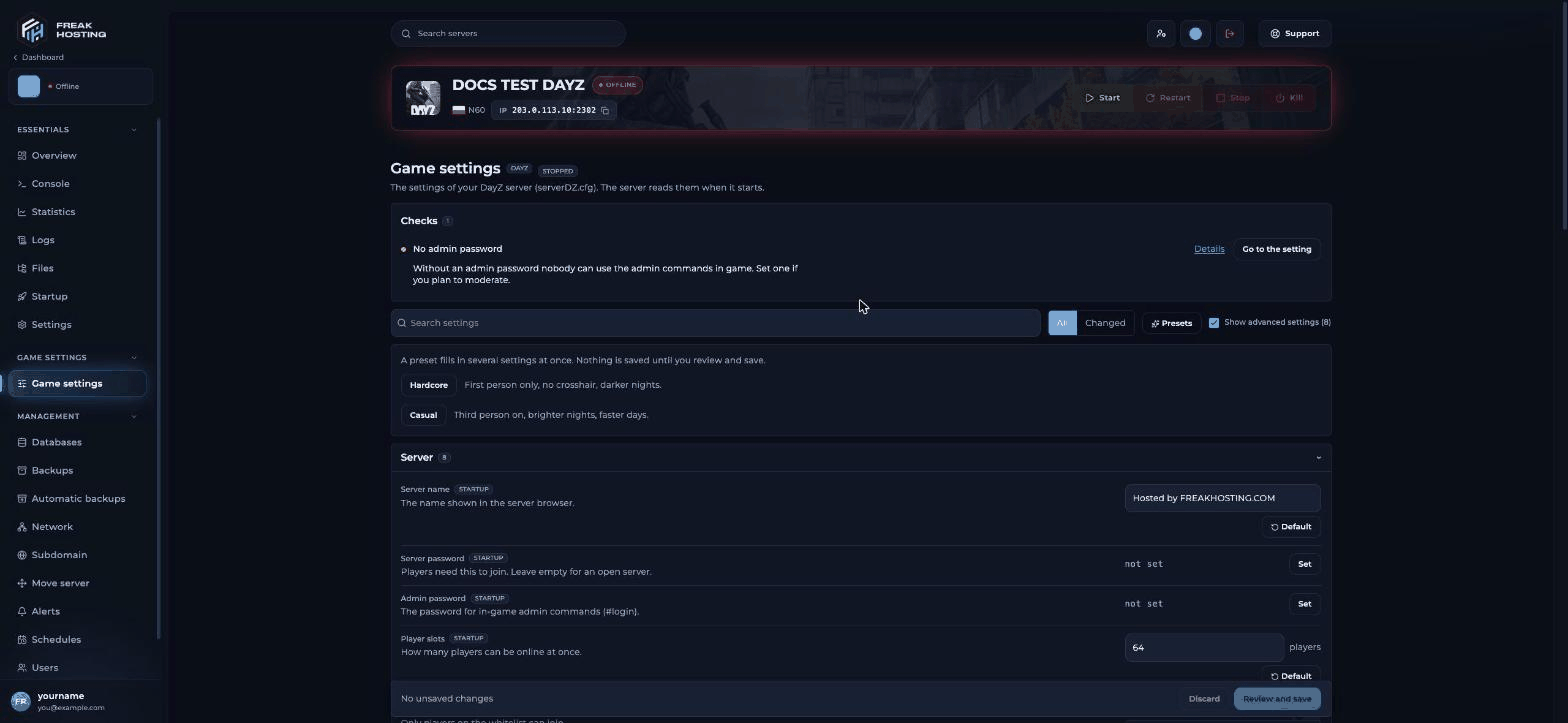
DayZ Game settings in the Game Panel
Most asked
The DayZ server topics people search for most, with the page that answers each one:- Code lock vs combination lock: vanilla locks and keypad code lock mods.
- CFTools Cloud: connect your server with RCON.
- Party and group mods: DayZ-Expansion-Groups.
- Unlimited stamina:
cfggameplay.jsonandenableCfgGameplayFile = 1. - Custom loading screen: build a loading screen mod.
- VPP Admin Tools: install,
SuperAdmins.txtand the End and Home keys. - Trader mods: Expansion Market traders.
- Install DayZ Expansion: mods, keys and mission files.
Start here
Game Panel guides
Guides and tips
Commands and settings
Troubleshooting
Game Panel basics
These guides work the same for every game: use the console, use the File Manager, connect via SFTP, configure startup variables, create and restore backups, schedules and tasks and DDoS filters.Frequently asked questions
How do I set up a DayZ server?
Set the server name and admin password in Game settings, pick a map, save and start. Players join from the DayZ Launcher. See getting started.How do I add mods to my DayZ server?
Exportmodlist.html from the DayZ Launcher and upload it to the main folder, then check the keys. See install mods.
Where is serverDZ.cfg?
In the main folder. Edit it on the Game settings page or with serverDZ.cfg: open the raw file.Which settings are not on the Game settings page?
Stamina (cfggameplay.json), loot (types.xml), traders and loading screens. Each has its own page above.
Related guides
Getting started
First setup and joining.
Install mods
Mod list and keys.
DayZ server settings explained
Every Game settings option.
Log in to the Game Panel
Access your server.
Tested by the FREAKHOSTING team on 30 October 2026 (DayZ stable branch on our Game Panel). Steps may differ slightly if the game or its mods change.
Need Extra Help?
If you encounter any issues, our support team is ready to assist:- Live Chat: Quick assistance via our website.
- Support Ticket: Open a Ticket
- Discord: Join our Community
- Email: support@freakhosting.com
Last Updated: October 2026