Difficulty
Beginner
Time
5 minutes
Register a new domain
1
Search for a name
Go to Register a New Domain, type the name you want and search. You can also use the Register a New Domain box on the Home dashboard.
2
Pick an available extension
Choose from the results, or Browse extensions by category. The price list shows the New Price, Transfer and Renewal price for each extension.
3
Check out
Add the domain to your cart and complete checkout. Your domain appears in Domains → My Domains once it’s registered.
Transfer a domain to us
1
Prepare at your current registrar
Unlock the domain and get its EPP / authorisation code. Make sure it was registered or transferred more than 60 days ago.
2
Start the transfer
Go to Domains → Transfer Domains to Us, enter the domain and its authorisation code, and check out.
3
Approve it
Approve any confirmation email you receive. Transfers usually complete within 5–7 days, and most include an extra year of registration.
Manage a domain
Go to Domains → My Domains, then click the domain. The Overview shows the registration date, next due date, renewal price, payment method and SSL status. Use the Manage menu on the left: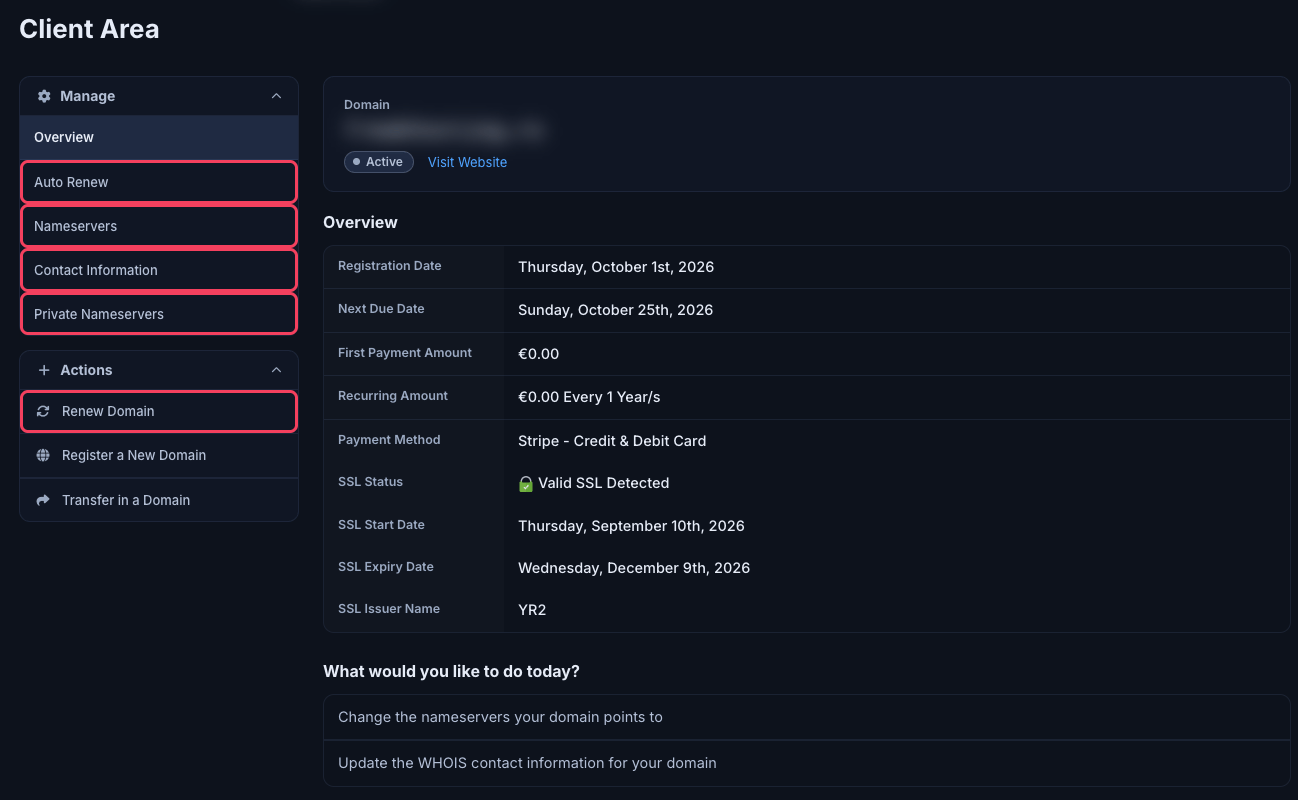
A domain's Overview and Manage menu
Some options, such as registrar lock or requesting an EPP code, only appear for extensions that support them. Can’t see what you need? Open a ticket with Domain Services.
Renew a domain
1
Open Renew Domains
Go to Domains → Renew Domains, or click Renew Domain on the domain’s page.
2
Choose how long
Each domain shows its Expiry Date and a dropdown of Available Renewal Periods (for example 1 to 9 years).
3
Add to cart and pay
Click Add to Cart, then View Cart (or open your cart) and check out.
Need Extra Help?
If you encounter any issues, our support team is ready to assist:- Live Chat: Quick assistance via our website.
- Support Ticket: Open a Ticket
- Discord: Join our Community
- Email: support@freakhosting.com
Last Updated: October 2026