Difficulty
Beginner
Time
4 minutes
Open FREAK Pass
Go to FREAK Pass in the left menu, or click Open on the FREAK Pass card on your Home dashboard. At the top you’ll see your tier, your Bolts balance and what it’s worth, and your progress to the next tier. Use Use my Bolts to spend your balance, or Earn more to see ways to earn. Below that, six tabs cover everything else: Tiers, Badges, Quests, Rewards, Community and Activity.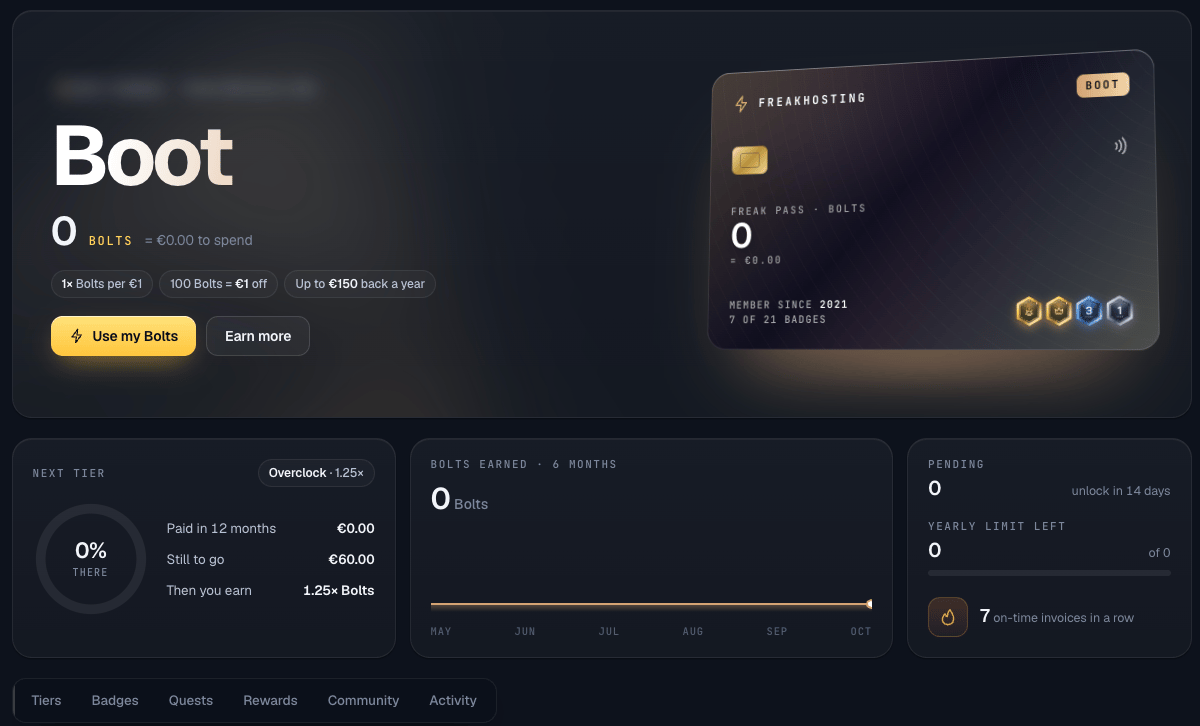
The FREAK Pass page
Tiers
Your tier depends on how much you’ve paid in the last 12 months and updates every day.Quests: bonus Bolts
One-off rewards, checked once a day:
Community also gives +25 Bolts the first time you open each of our social links (Facebook, Instagram, TikTok and YouTube) from the FREAK Pass page. Reviews on Trustpilot or Google are never rewarded, so they stay honest.
Badges
Collect 21 badges for things like years as a customer, paying on time and using different products. Badges are just for fun and have no cash value. Use the filters to see Earned, In progress and Locked badges.Spend your Bolts
Every 100 Bolts = €1 off your next invoice. Invoices that only add funds can’t be discounted. The Rewards tab shows how much your Bolts are worth today and an example invoice.If the Rewards tab says Redeeming opens soon, your Bolts are safe and keep counting until redemption opens.
The rules
Which payments earn Bolts?
Which payments earn Bolts?
Money paid by card, PayPal, crypto or direct debit. Payments from account credit, account top-ups and redeemed Bolts don’t earn Bolts.
When can I use new Bolts?
When can I use new Bolts?
Bolts show as Pending and unlock 14 days after the payment.
Do Bolts expire?
Do Bolts expire?
Yes, after 12 months with no paid invoice. Bolts have no cash value.
What about refunds?
What about refunds?
Refunds and chargebacks remove the Bolts that payment earned.
Need Extra Help?
If you encounter any issues, our support team is ready to assist:- Live Chat: Quick assistance via our website.
- Support Ticket: Open a Ticket
- Discord: Join our Community
- Email: support@freakhosting.com
Last Updated: October 2026